GOHIGHLEVEL ASSISTANT
CRM • AUTOMATION • FUNNELS • SITES

ROMMEL JOHN SEVILLA

I help businesses set up CRM pipelines, funnels, and email campaigns, with experience in social media content planning, graphics, and video posts.

Photo of myself rommel john sevilla

GOHIGHLEVEL SPECIALIST
CRM • AUTOMATION • FUNNELS • SITES

ROMMEL JOHN SEVILLA

I help businesses set up CRM pipelines, funnels, and email campaigns, with experience in social media content planning, graphics, and video posts.

ai robot ghl

About Me

Hi, I’m Rommel John Sevilla. I’m a GoHighLevel enthusiast with hands-on experience in CRM pipelines, funnels, email campaigns, and social media content planning. I enjoy helping businesses streamline their marketing workflows and create organized systems for leads and campaigns. I’m constantly learning and improving my skills to deliver better automation solutions.

Marketing & Content Planning
85%
CRM Setup & Pipelines
80%
Funnels & Landing Pages
75%
Email & SMS Campaigns
75%
Automation Workflows
70%

Tools I Use

Zapier Logo
GoHighLevel Logo
vs-studio
Canva Logo
Capcut Logo
Google Workspace Logo
Wordpress Logo
Shopify Logo
Trello Logo

Marketing & Content Planning

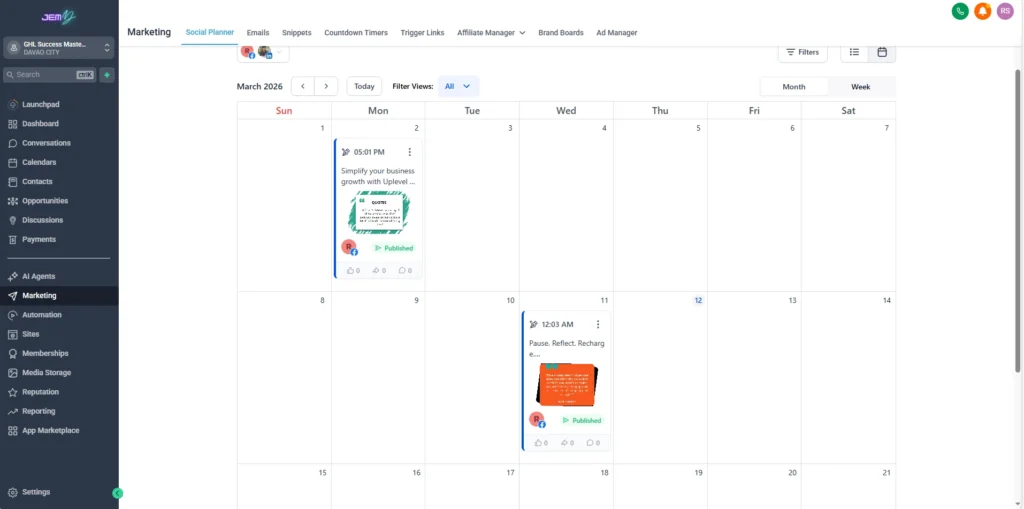
I assist businesses in planning and organizing their marketing content to maintain consistent communication with their audience. My work includes managing social media schedules, setting up email campaigns, and organizing marketing assets inside GoHighLevel.

Social Media Scheduling

Social Media Scheduler

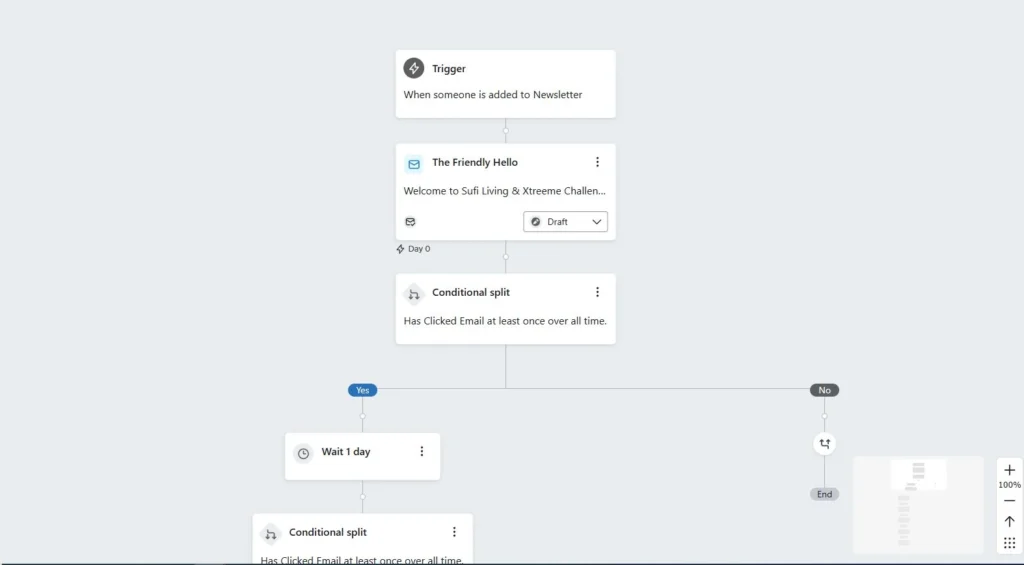
Email Nurture

Email Nurture Automation

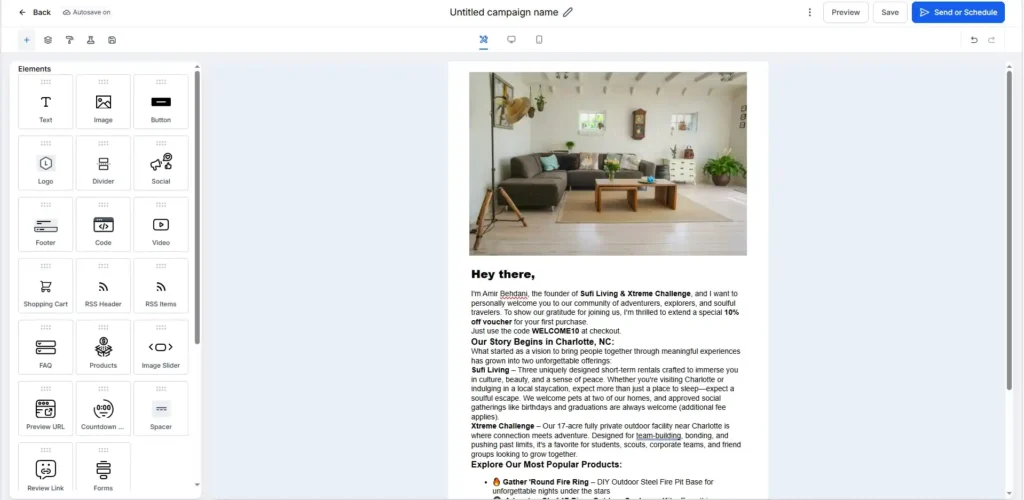
Email Set-Up

Email Set Up in GoHighLevel

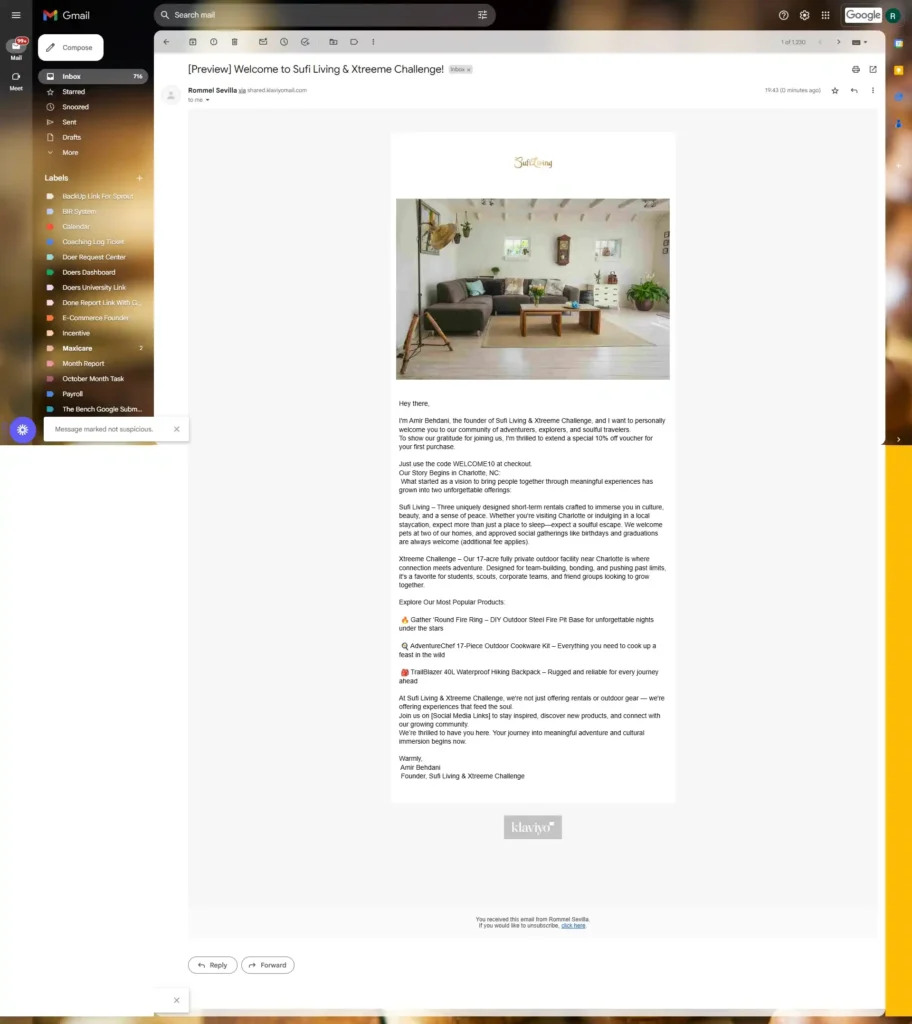
Test Email Delivered

Email Delivered

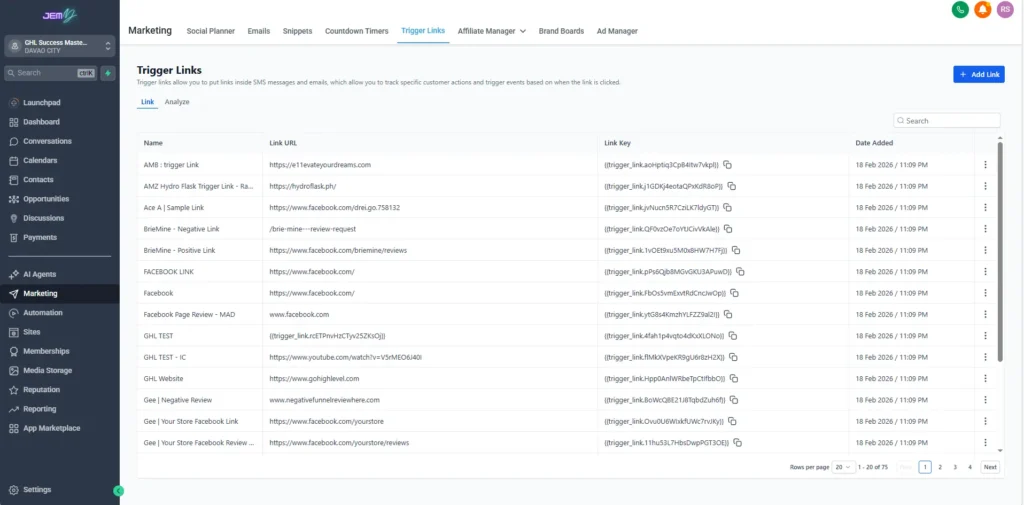
Trigger Links

Trigger Links

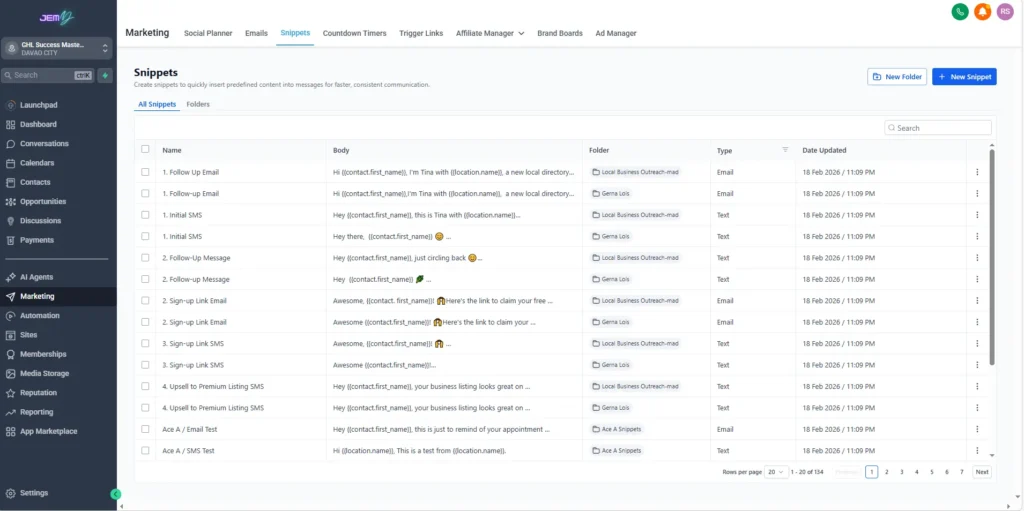
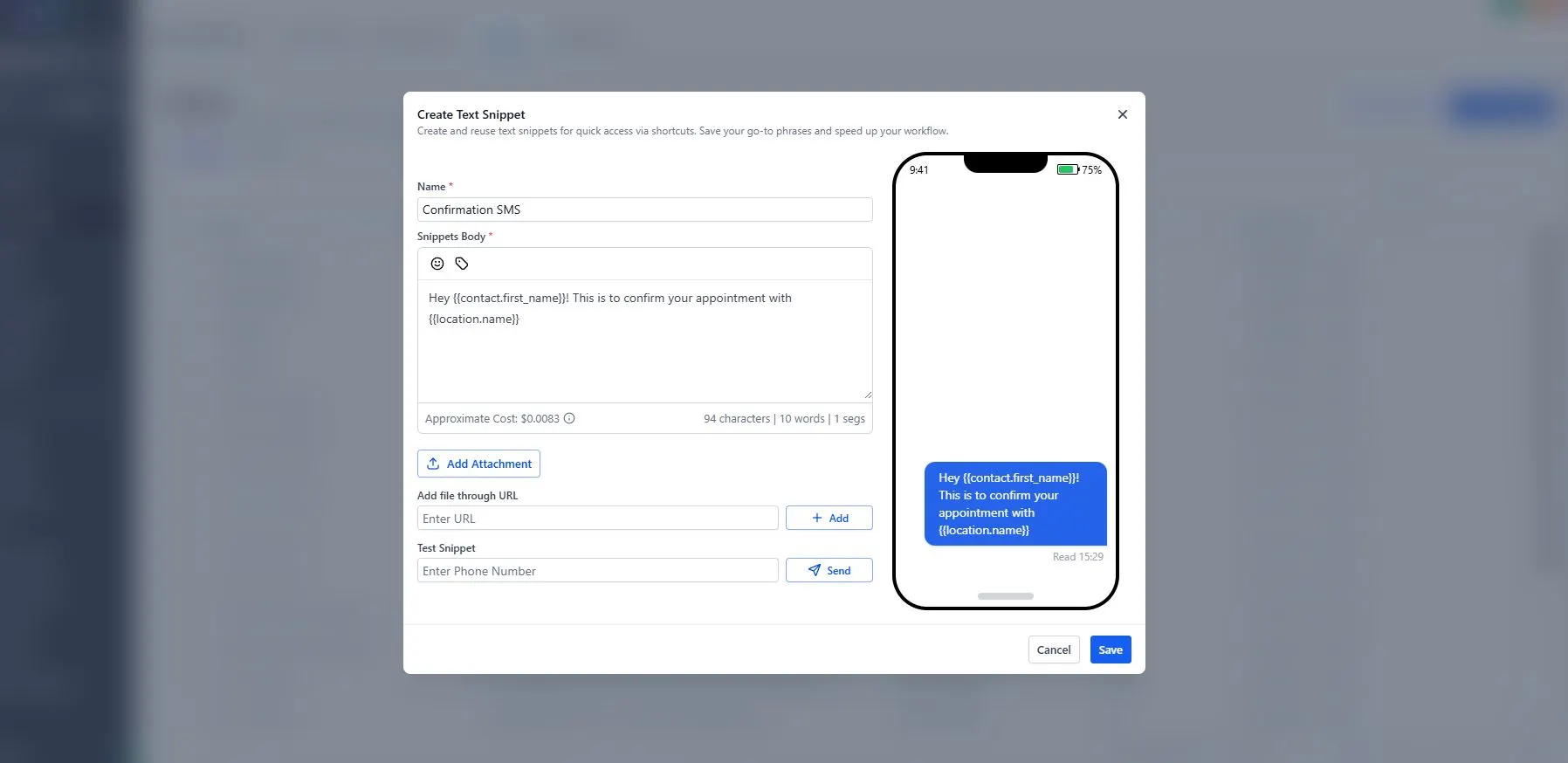
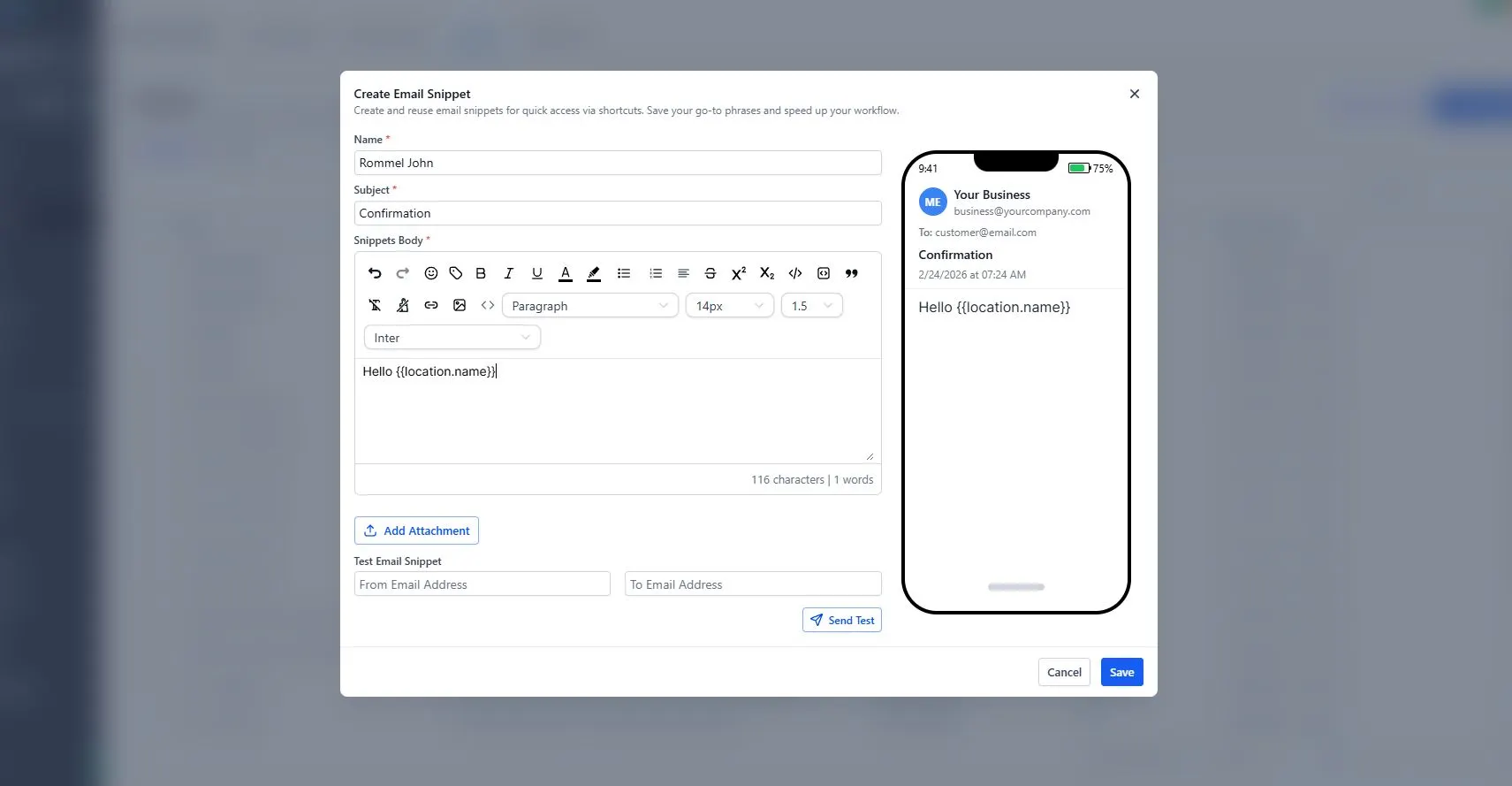
Snippets

Snippets of gohiglevel and it's a hyperlink

Social Media Content Management

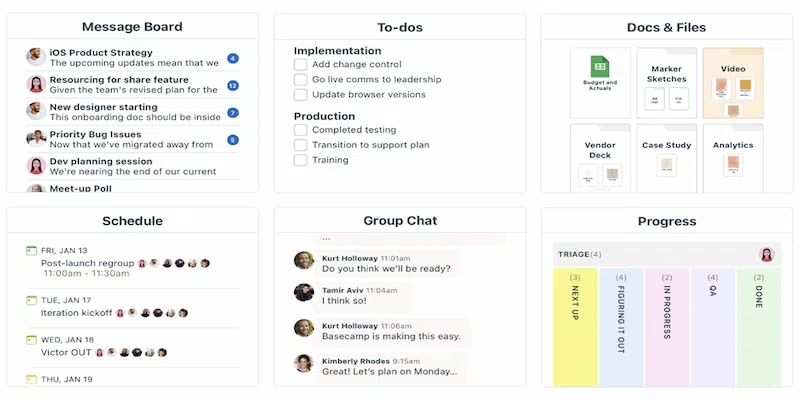
Before publishing posts to a social media planner or calendar, I first submit the content through Basecamp project management for review and approval. This allows the team or client to check the caption, hashtags, and media files and confirm whether the content is approved or needs revisions.

This process helps keep communication organized and ensures that all posts align with the brand before they go live.

I also create social media content, including graphic posts and short-form videos such as Reels, Shorts, and TikTok. These visuals are designed to support marketing campaigns, promotions, and audience engagement.

Before publishing posts to a social media planner or calendar, I first submit the content through Basecamp project management for review and approval. This allows the team or client to check the caption, hashtags, and media files and confirm whether the content is approved or needs revisions.

This process helps keep communication organized and ensures that all posts align with the brand before they go live.

I also create social media content, including graphic posts and short-form videos such as Reels, Shorts, and TikTok. These visuals are designed to support marketing campaigns, promotions, and audience engagement.

Graphic Posts

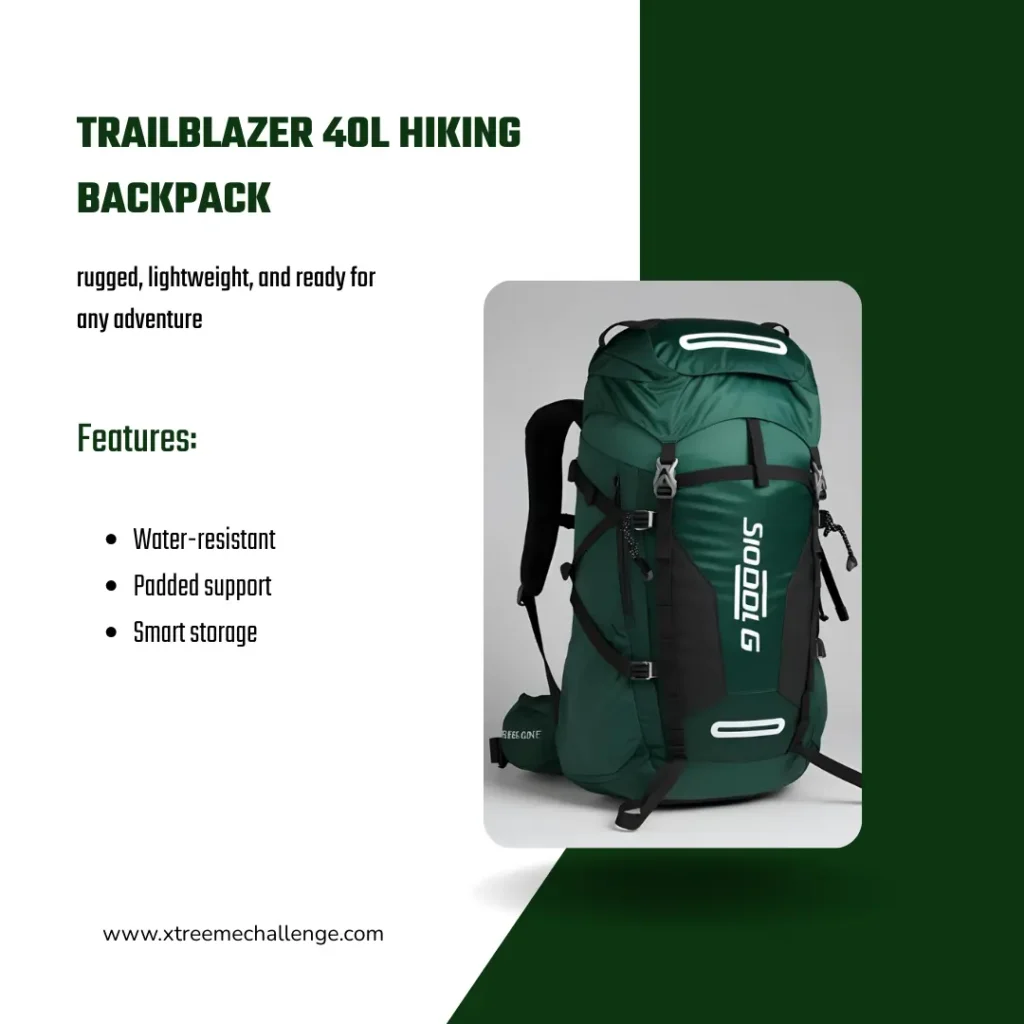
Product Mockup

Product Mockup

Sufi Living Promotional Sale

Promotional Sale

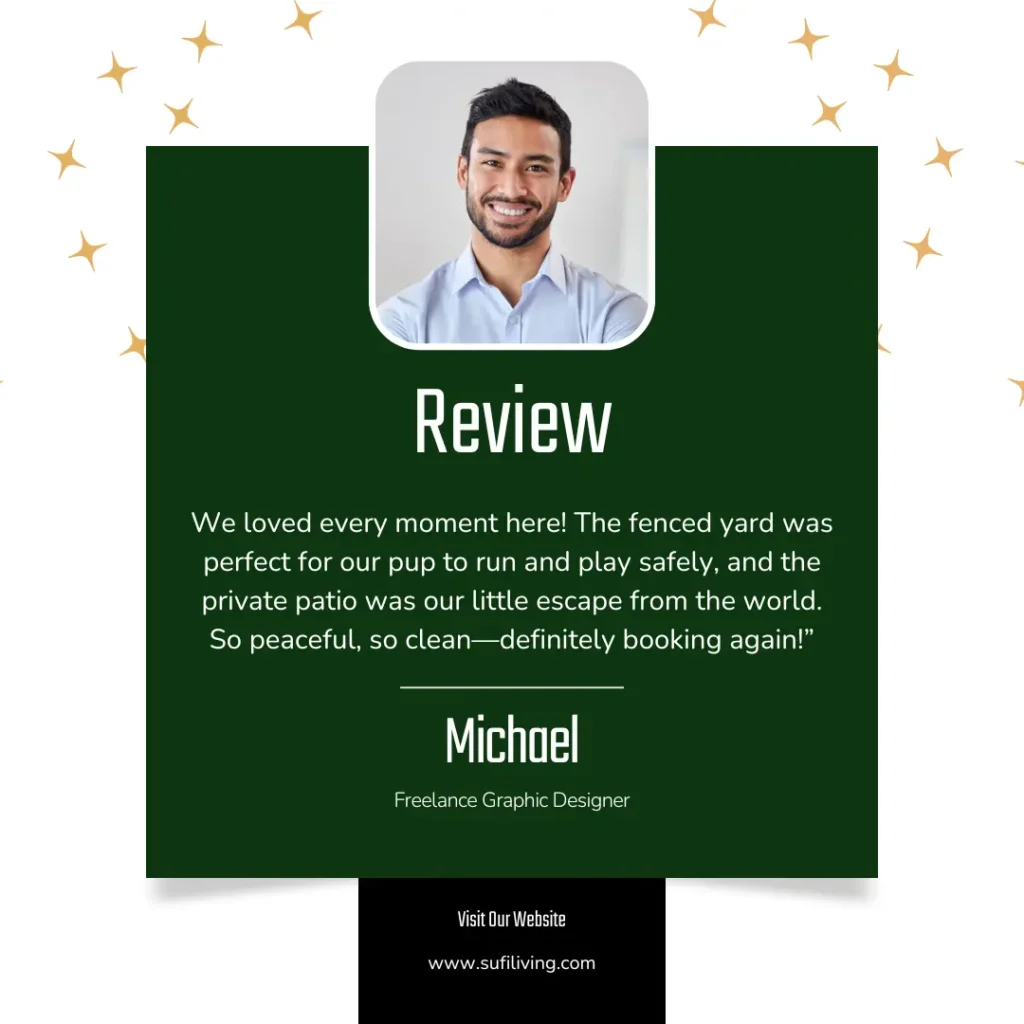
Sufi Living Testimonial

Sufi Living Testimonial

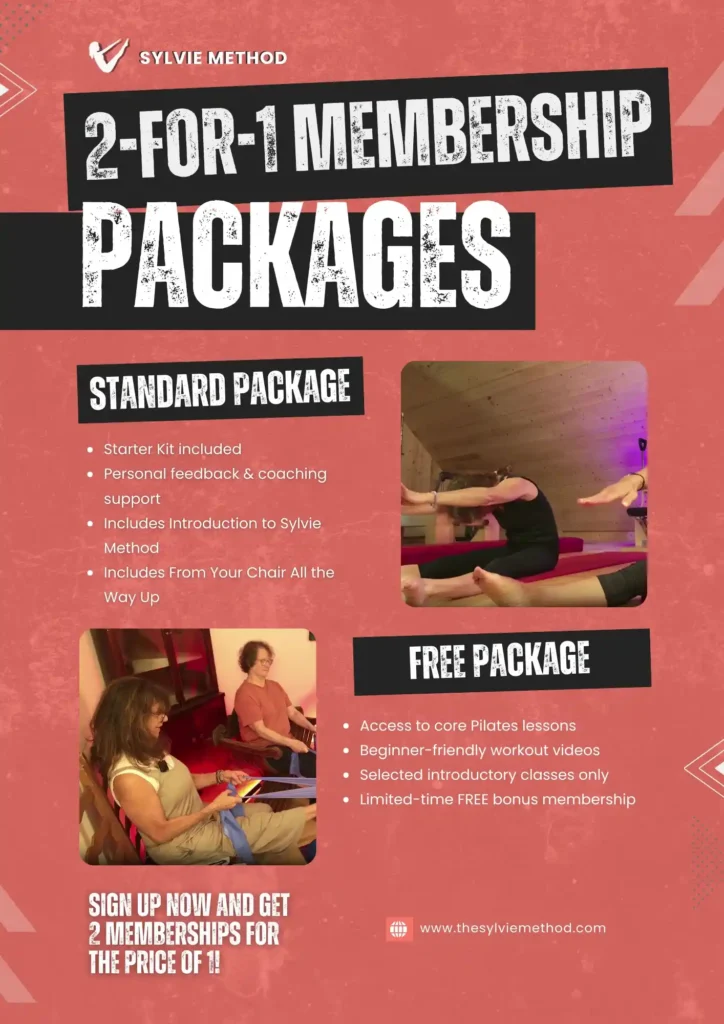
Membership Packages

Membership Packages

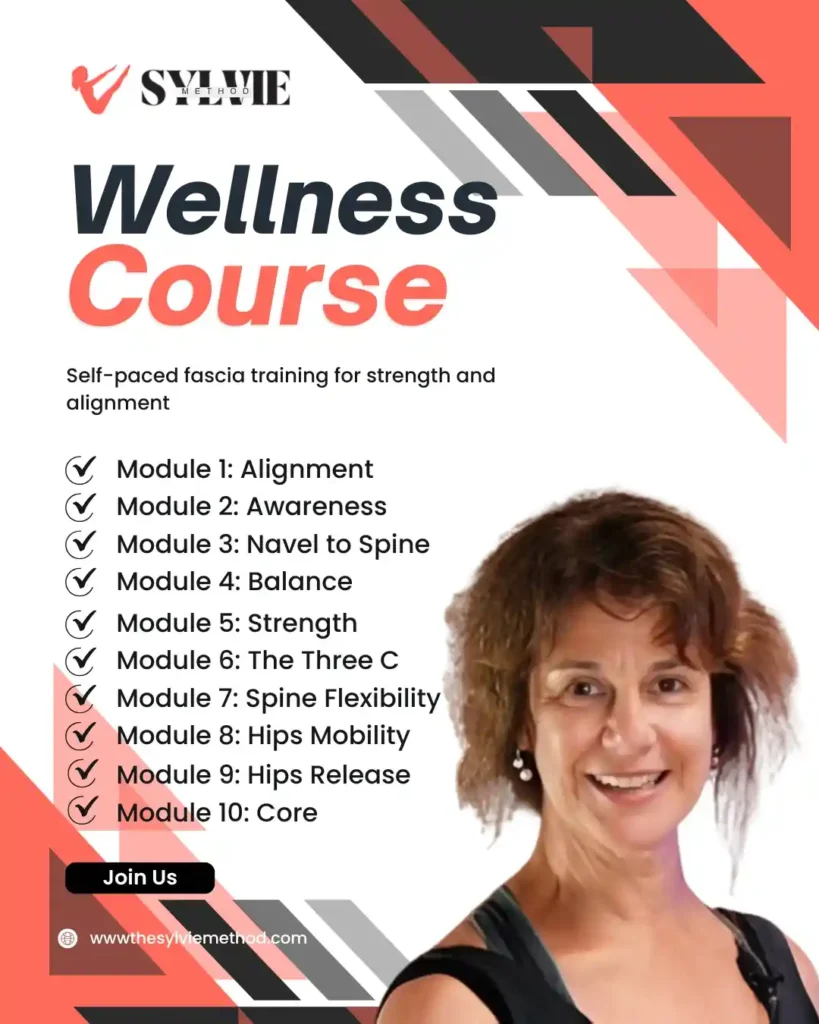
Online Courses

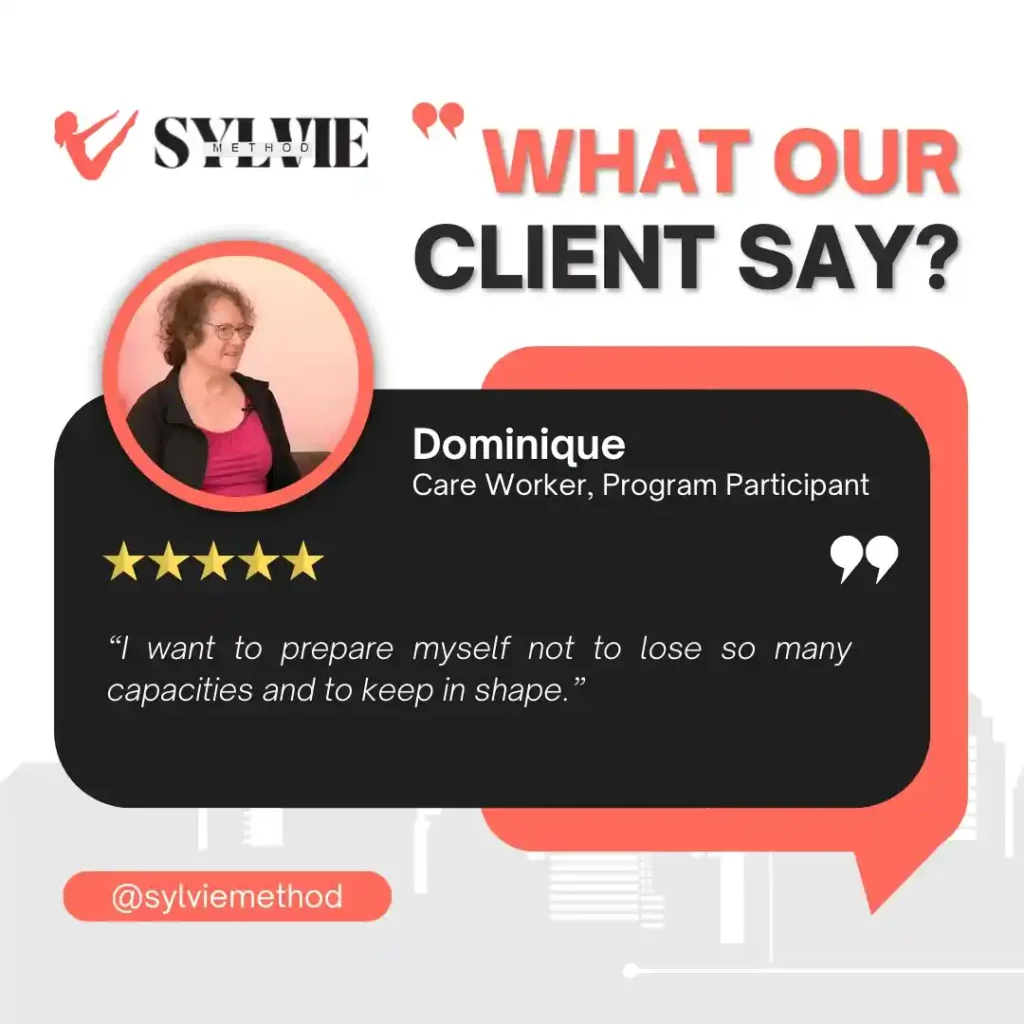
Sylvie method Testimonial

Sylvie method Testimonial

Carousel

Carousel

Smoothies Go Valentine Promo

Vacation Promo for Sale

 La Maison Nesbitt Staycation Promo

Shorts or Reels

Long Form Videos

CRM Setup & Pipelines

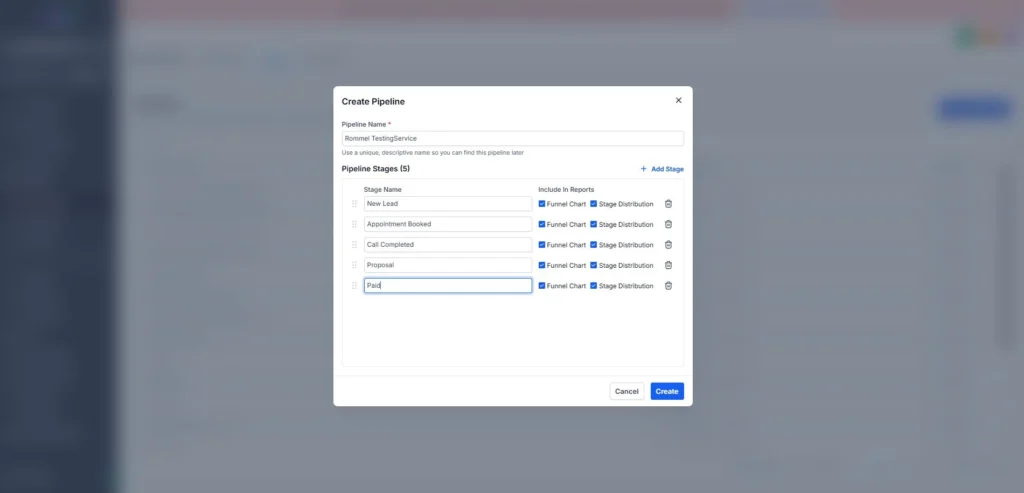
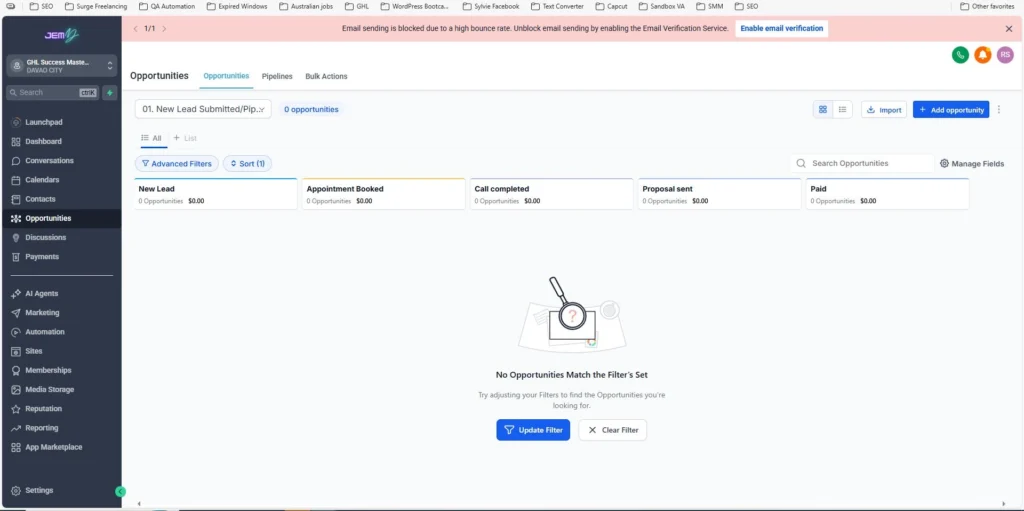
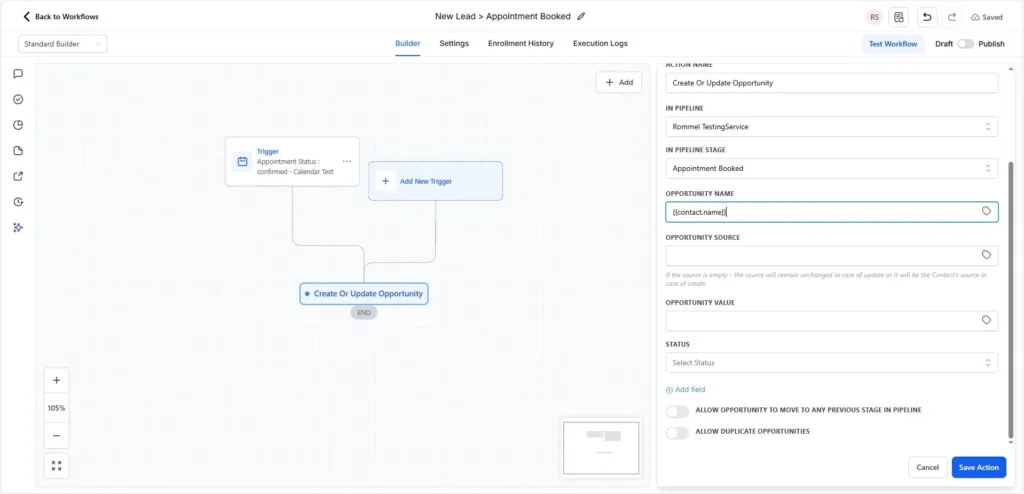
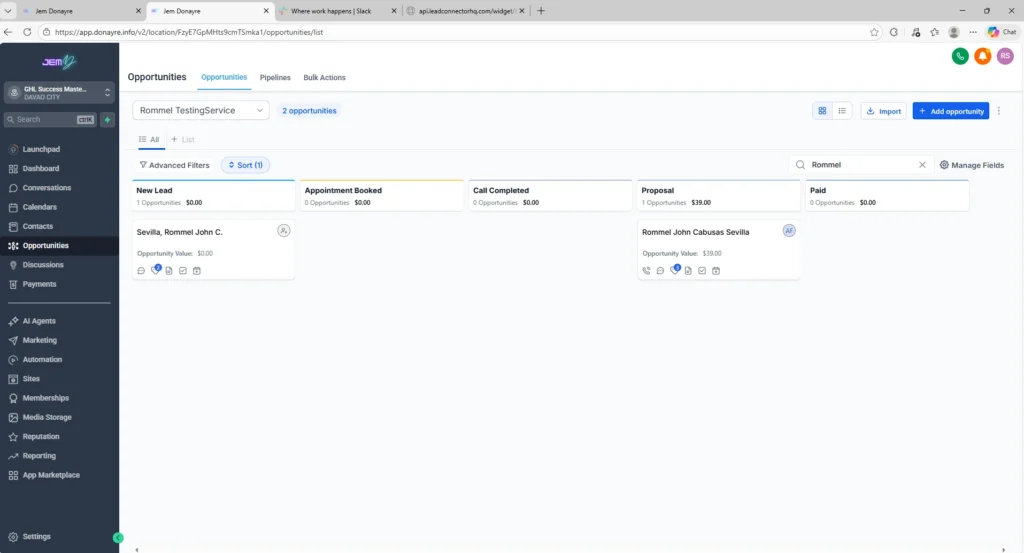
I create and organize sales pipelines to track leads and manage their progress from the first contact to scheduled appointments. This helps businesses monitor opportunities, follow up with leads, and keep the sales process organized.

Pipeline Example
New Lead → Appointment Booked

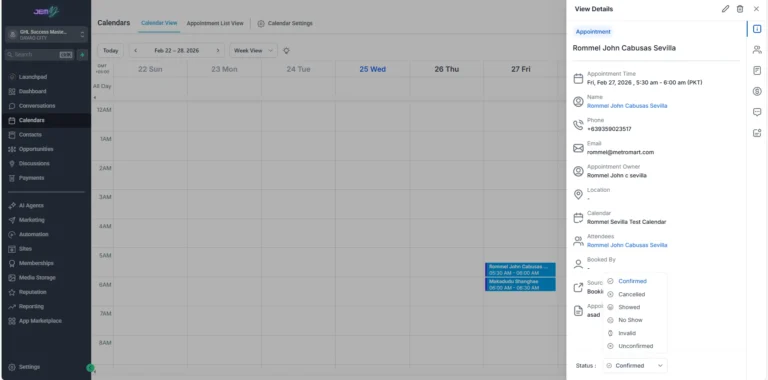
Lead Activity

  • New Lead Added
  • Appointment in Calendar
  • Opportunity View Tracking

Pipelines

Create Pipeline

Creating Pipeline

Opportunity View

New Lead > Appointment Booked

New Lead Added

Appointment in Calendar

Appointment in Calendar

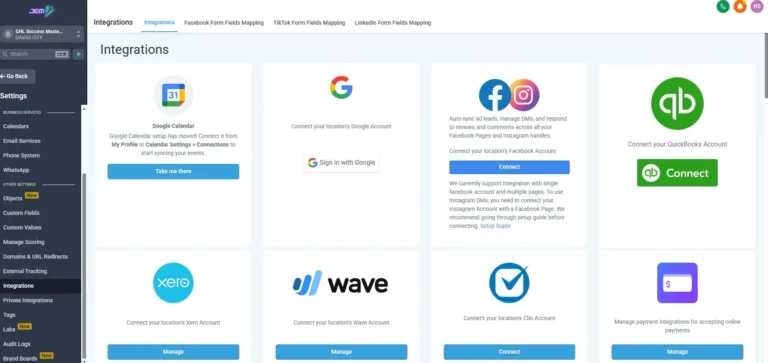
Integration

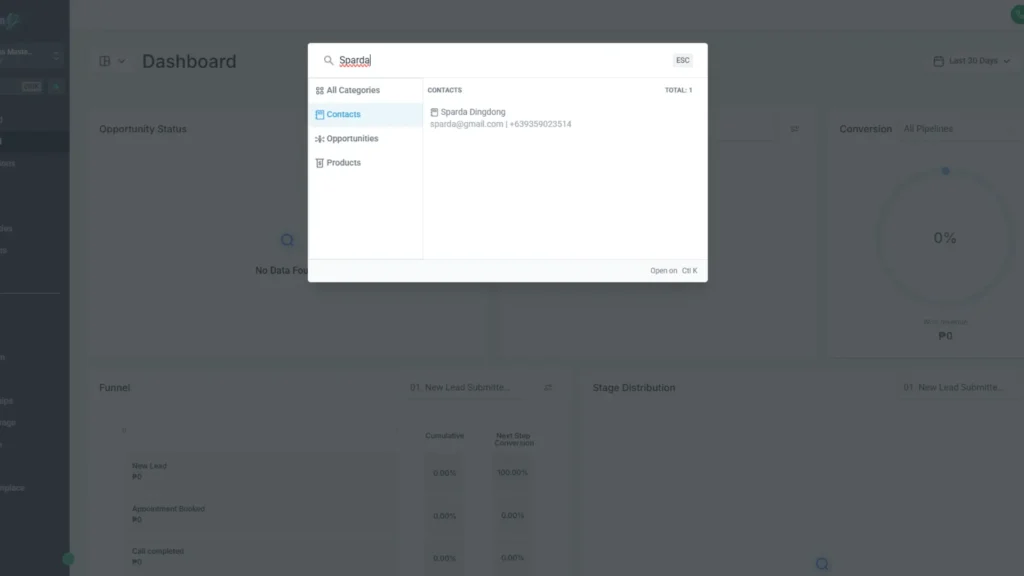
Contacts

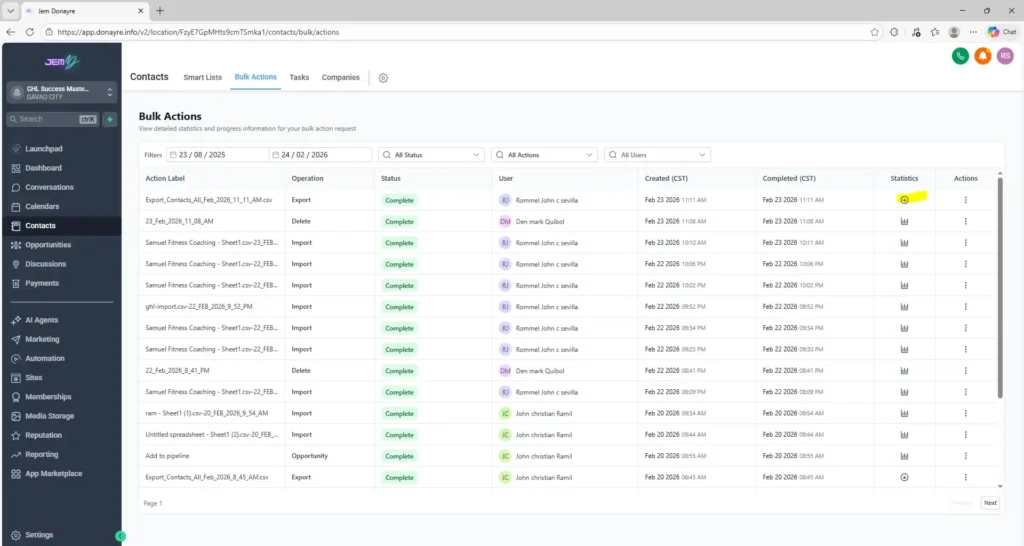
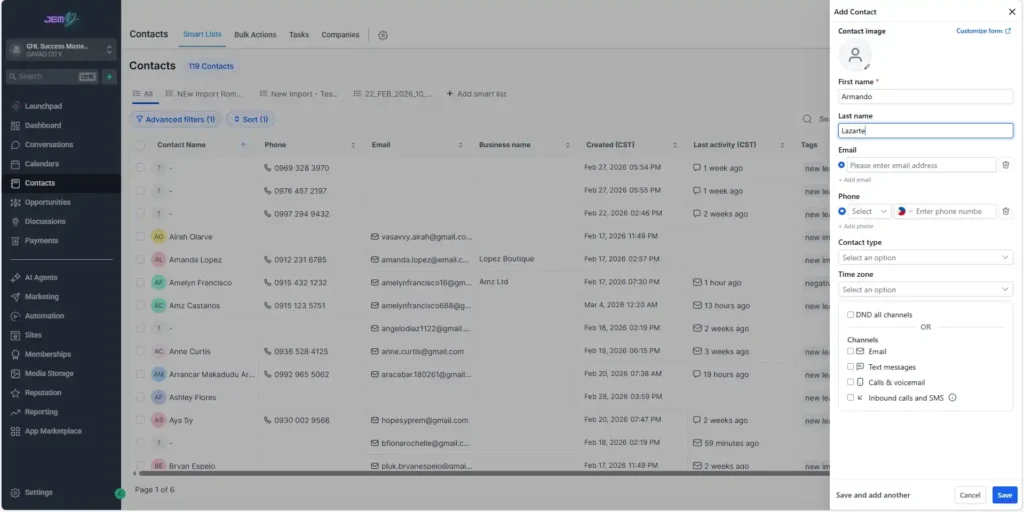
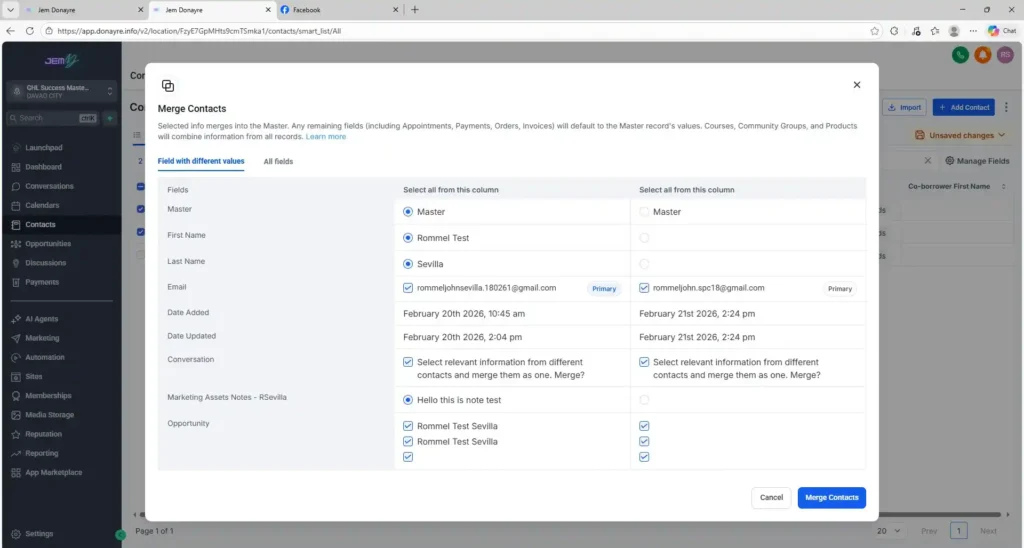
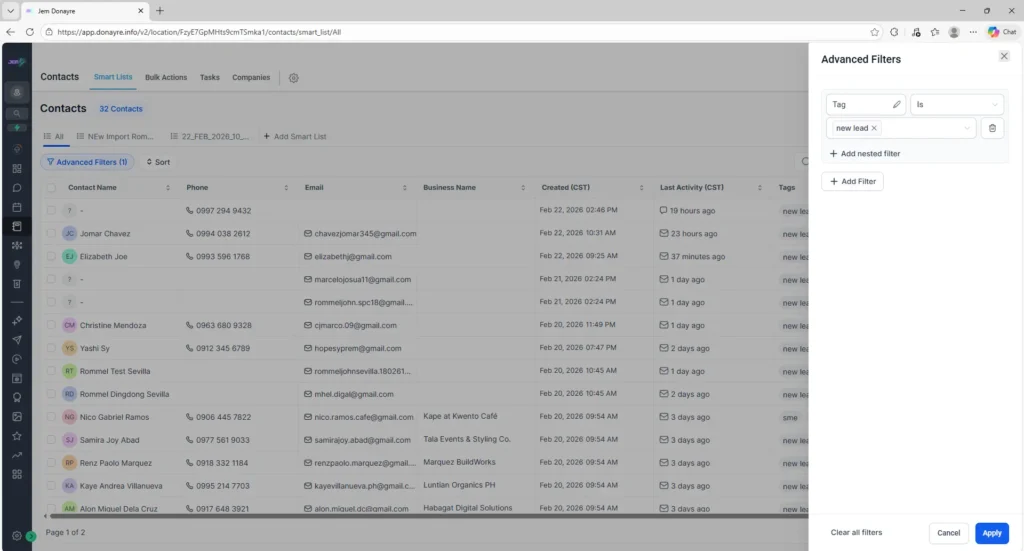
I manage and organize contact records in the CRM, including custom fields, opportunities, and bulk import/export to keep customer data accurate and easy to manage.

Contact Management

  • Add Contact
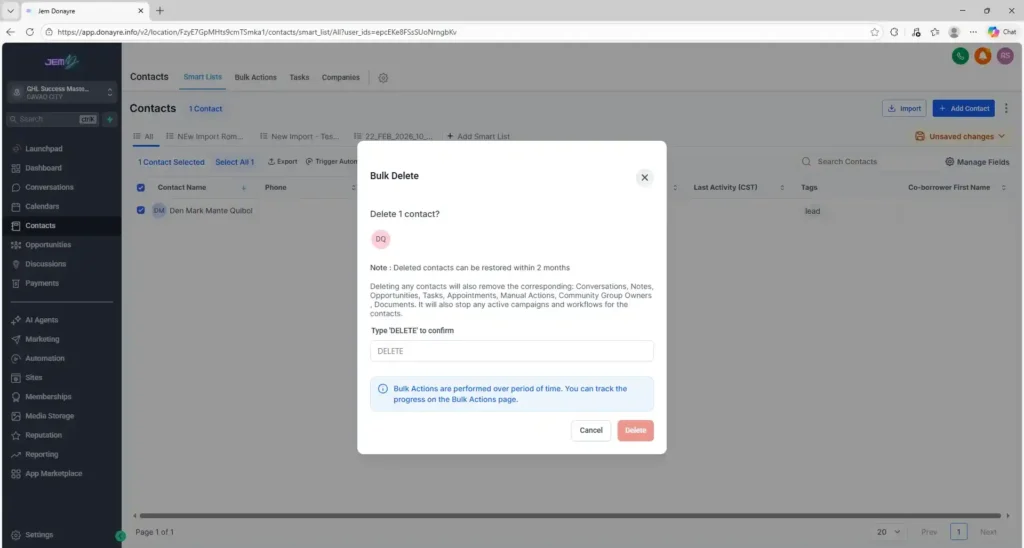
  • Delete Contact
  • Merge Contacts

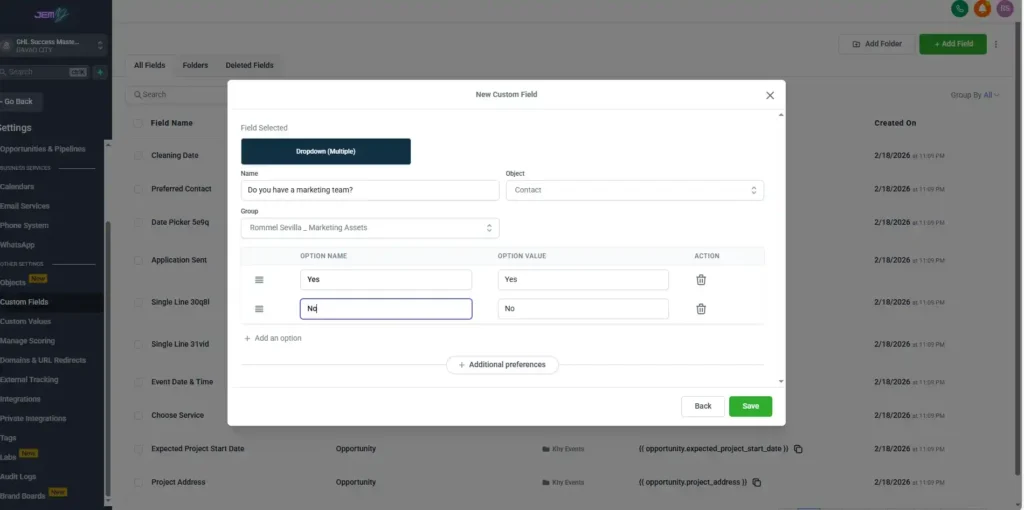
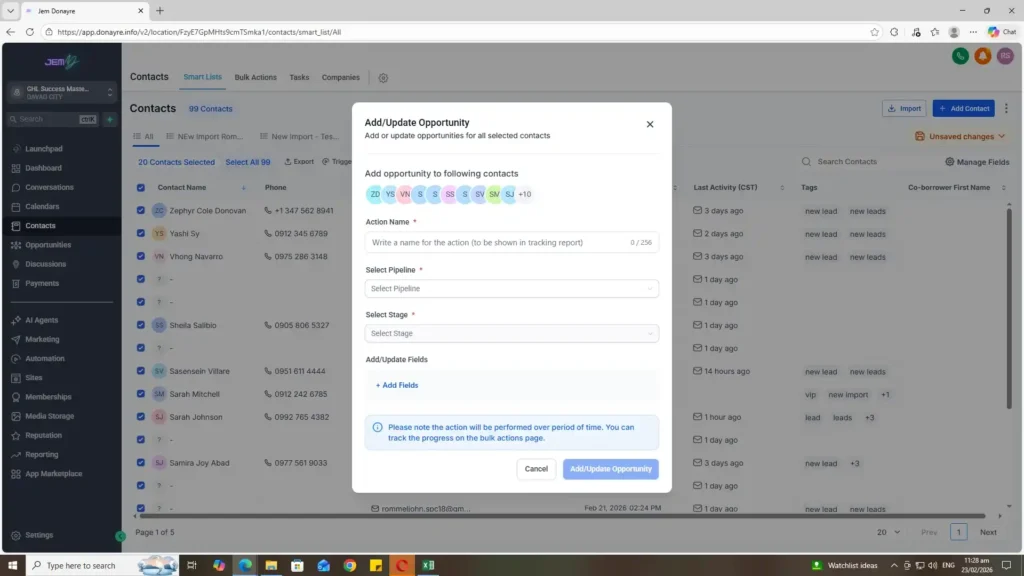
Custom Fields & Opportunities

  • Add Custom Field
  • Add / Update Opportunities

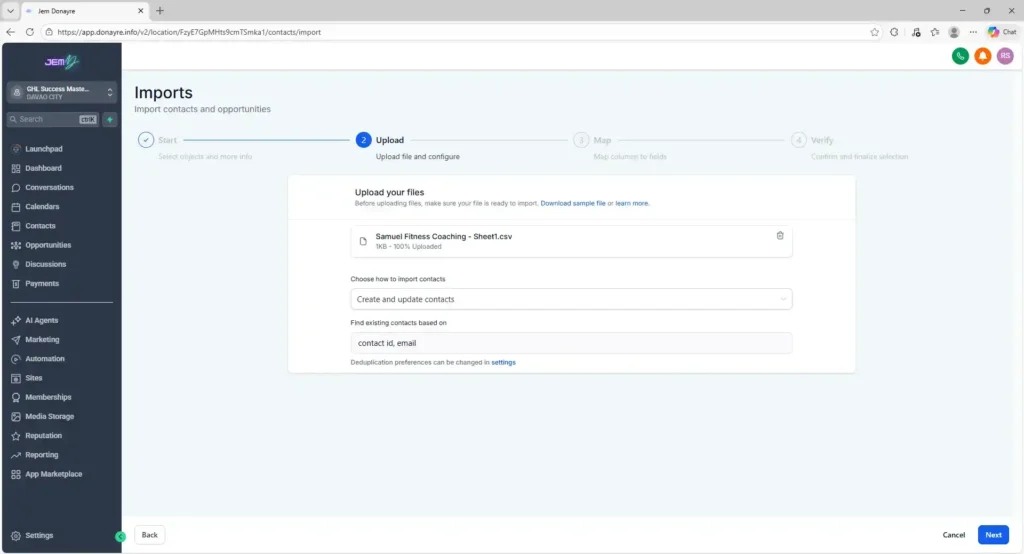
Bulk Actions

  • Import Bulk
  • Export Bulk
  • Export CSV

Contacts

I manage and organize contact records in the CRM, including custom fields, opportunities, and bulk import/export to keep customer data accurate and easy to manage.

Contact Management

  • Add Contact
  • Delete Contact
  • Merge Contacts

Custom Fields & Opportunities

  • Add Custom Field
  • Add / Update Opportunities

Bulk Actions

  • Import Bulk
  • Export Bulk
  • Export CSV

Add Custom Field

Add / Update Opportunities

Import Bulk

Import Bulk

Export Bulk

Export CSV

Add Contact

Delete Contact

Delete Contact

Merge Contacts

Advanced Filters

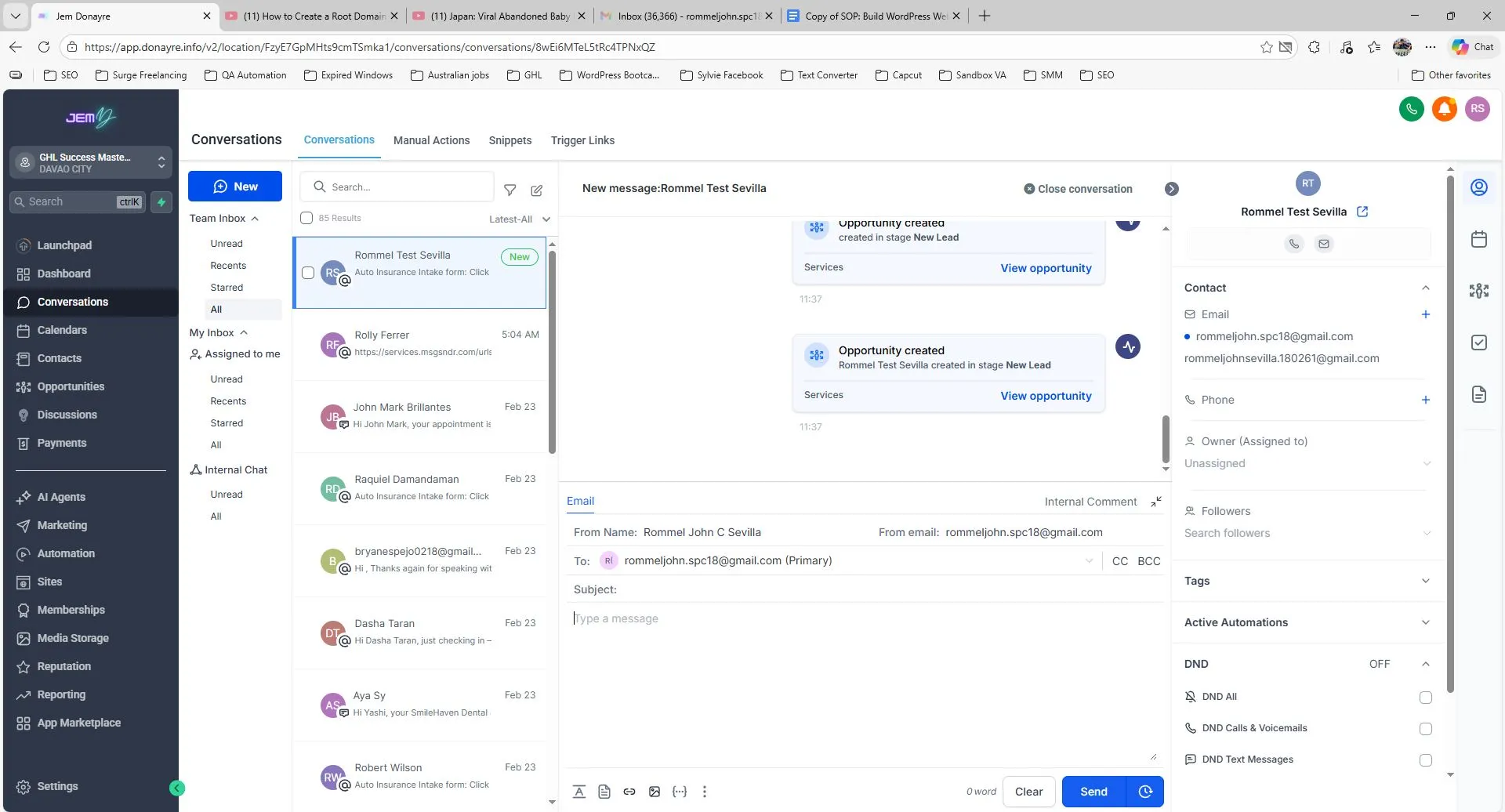
Conversation

I manage customer conversations within the CRM by sending and receiving messages and emails. I also create reusable text and email snippets to respond quickly, maintain consistent communication, and improve response efficiency with leads and clients.

(Click the images to view.)

Calendar

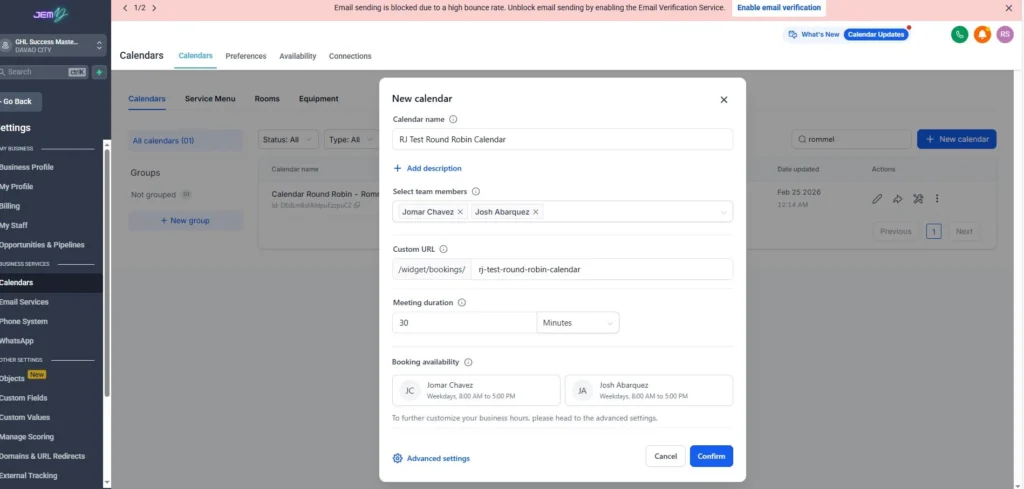
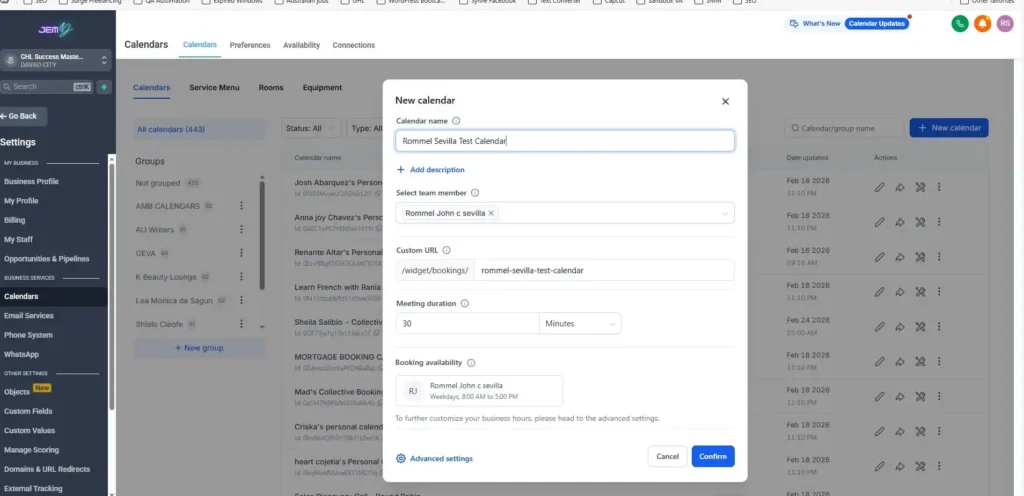
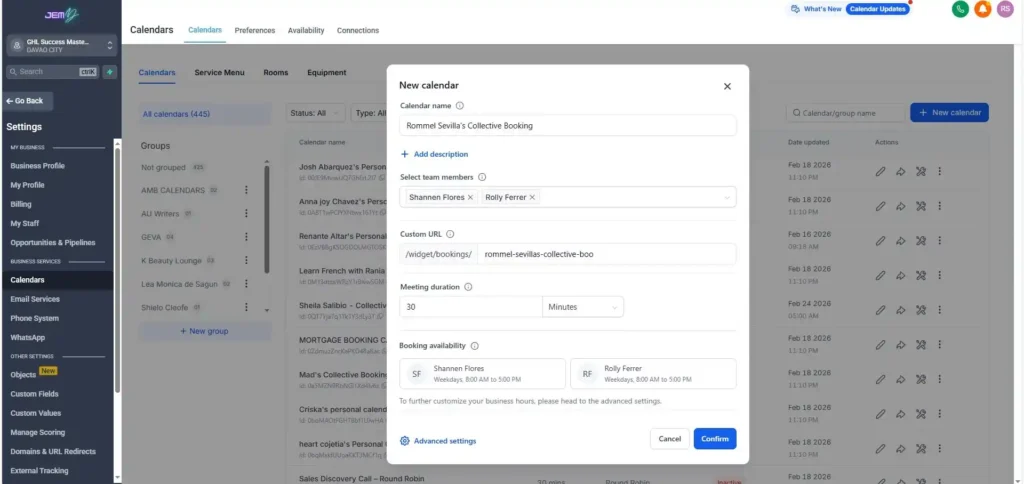
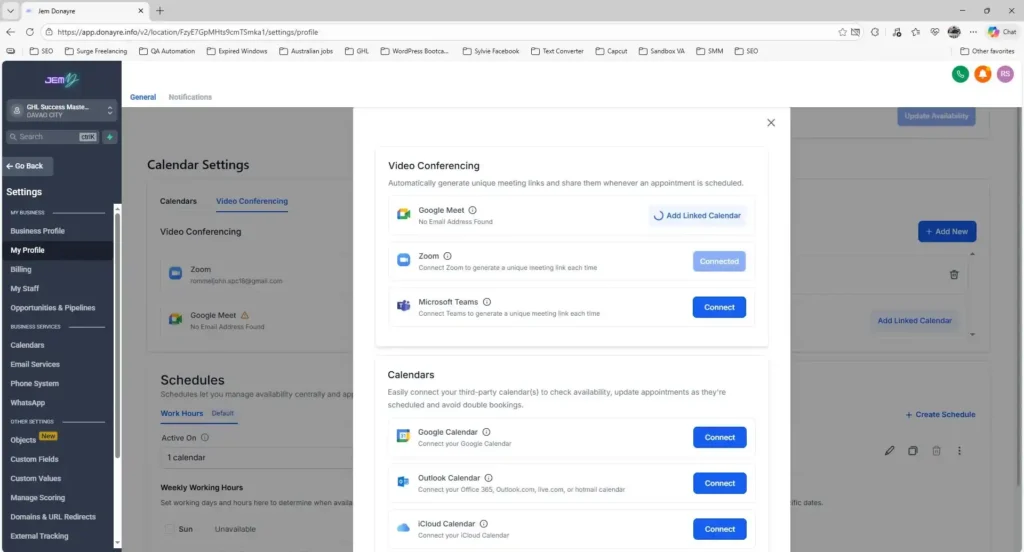
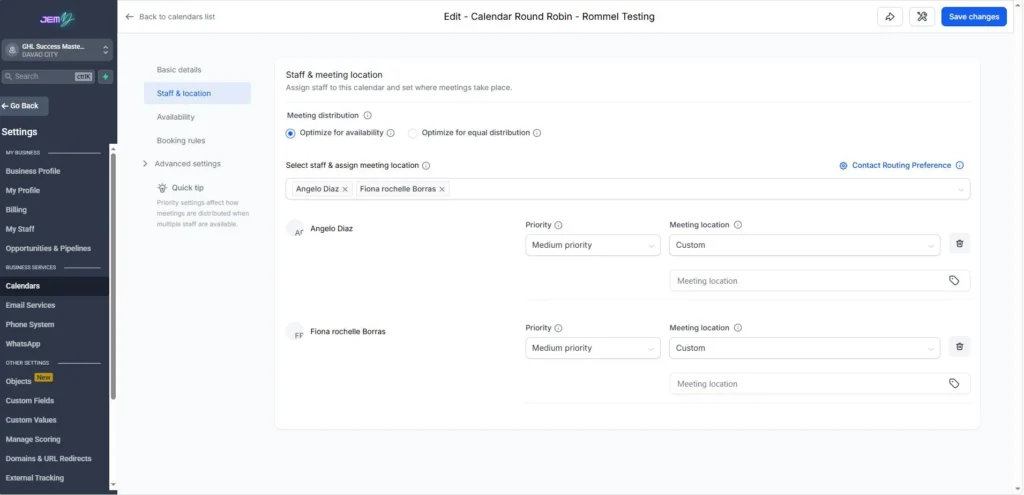
I configure and manage calendar booking systems inside GoHighLevel to help businesses schedule appointments, consultations, and meetings with clients.

Round Robin Calendar

Round Robin Booking

Personal Booking

Collective Booking

Collective Booking

Calendar Settings

Edit Settings

Edit Settings

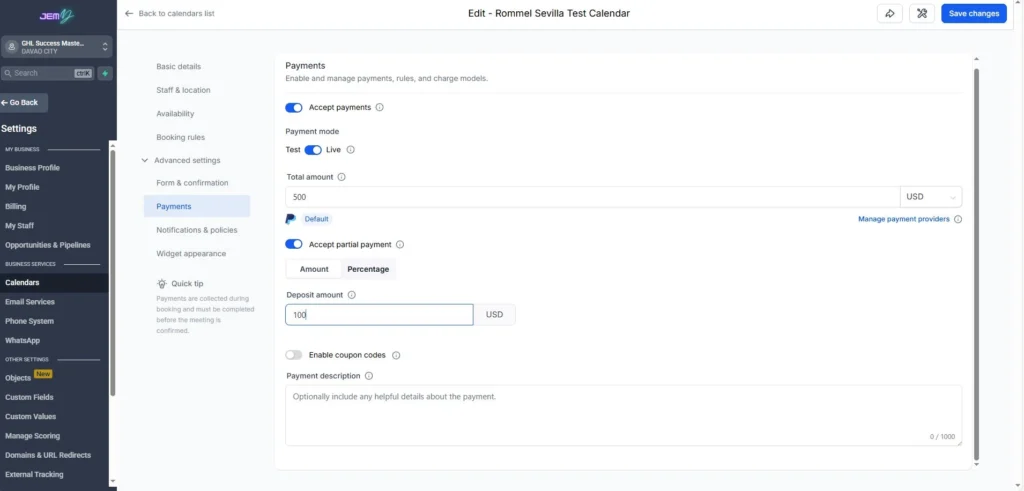
Payment Settings

Payment Settings

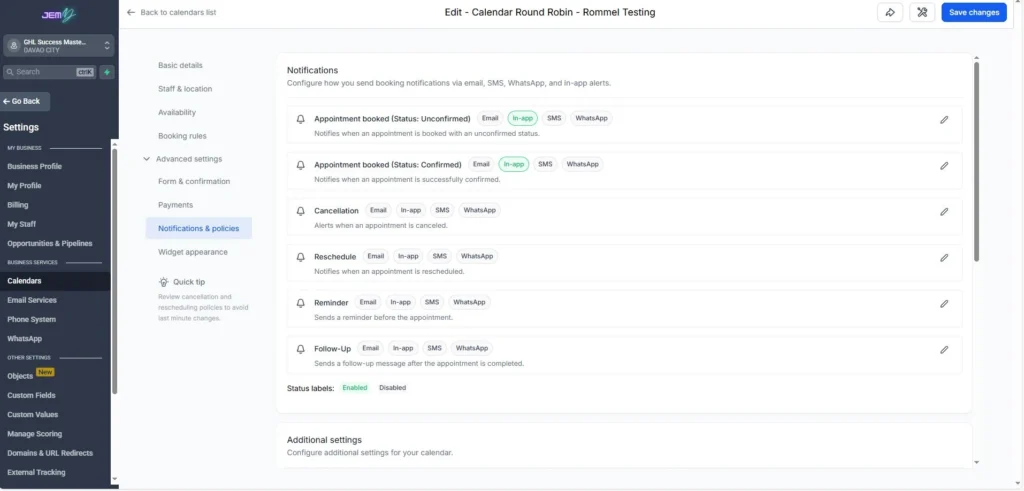
Calendar Notifications

Calendar Notifications

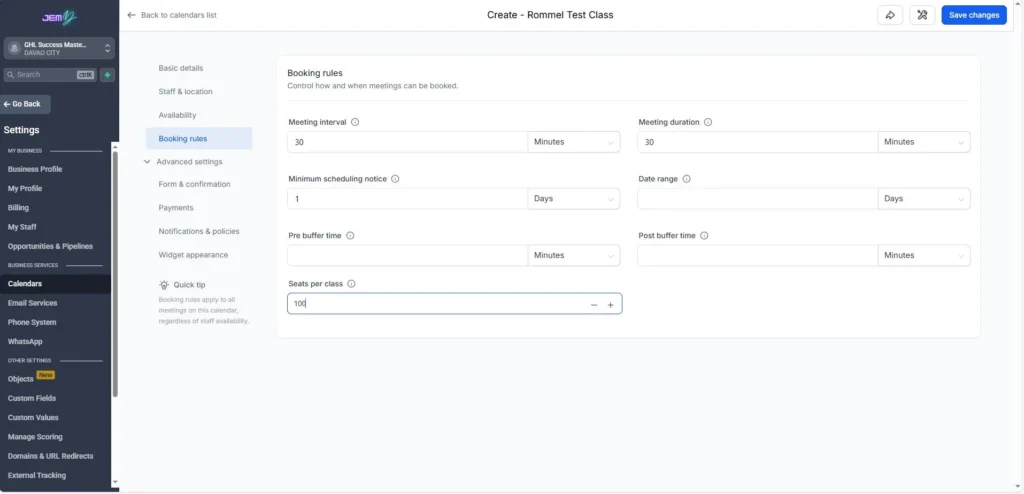
Booking Rules

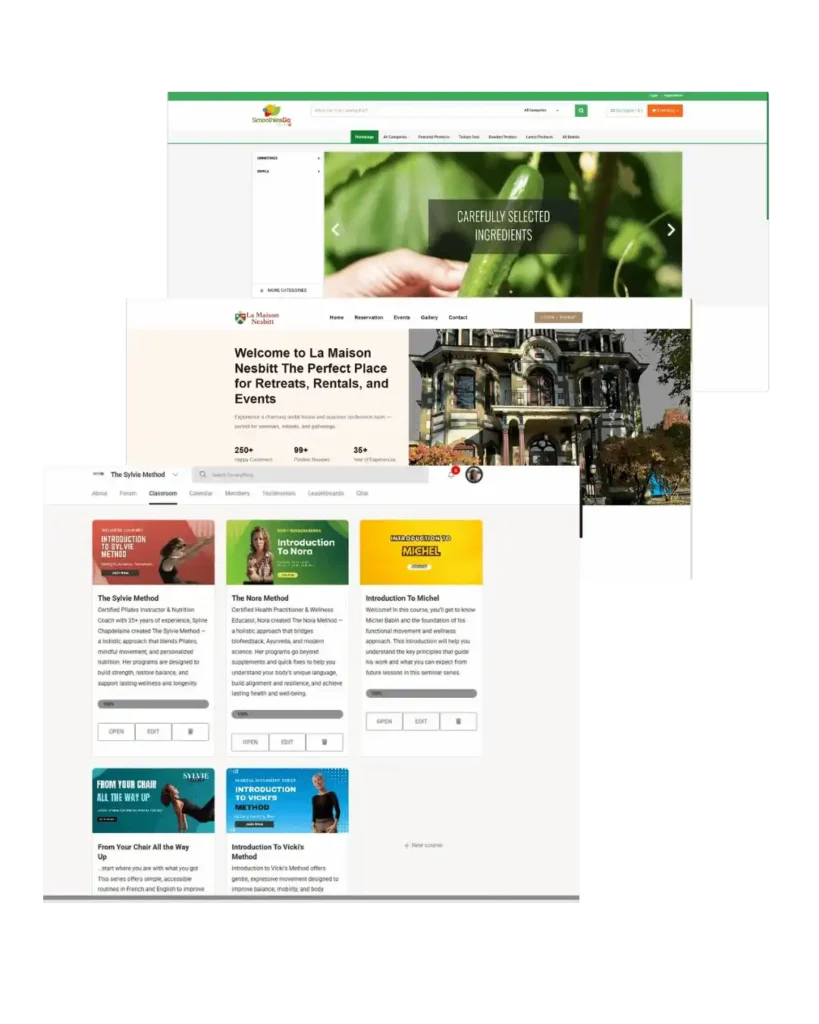
Websites that I help with their business

Website Development, Updates & On-Page SEO Optimization

I help businesses build, update, and manage websites using GoHighLevel. My work includes website pages, e-commerce stores, blogs, and online course platforms.

Before implementing SEO improvements, I perform a website audit using tools such as Screaming Frog and other SEO analysis platforms to identify technical and on-page issues. After the audit, I conduct keyword research using tools like Google Keyword Planner, Mangools, and AnswerThePublic to find relevant keywords that people are actively searching for in their local area.

Using these insights, I optimize website pages with proper headings, content structure, metadata, and keyword placement to improve visibility in search engines and help businesses reach their target audience.

Below are the websites that I helped businesses build, update, and optimize.

Websites that I help with their business

Website Development, Updates & On-Page SEO Optimization

I help businesses build, update, and manage websites using GoHighLevel. My work includes website pages, e-commerce stores, blogs, and online course platforms.

Before implementing SEO improvements, I perform a website audit using tools such as Screaming Frog and other SEO analysis platforms to identify technical and on-page issues. After the audit, I conduct keyword research using tools like Google Keyword Planner, Mangools, and AnswerThePublic to find relevant keywords that people are actively searching for in their local area.

Using these insights, I optimize website pages with proper headings, content structure, metadata, and keyword placement to improve visibility in search engines and help businesses reach their target audience.

Below are the websites that I helped businesses build, update, and optimize.

GoHighLevel Funnel & Website Management

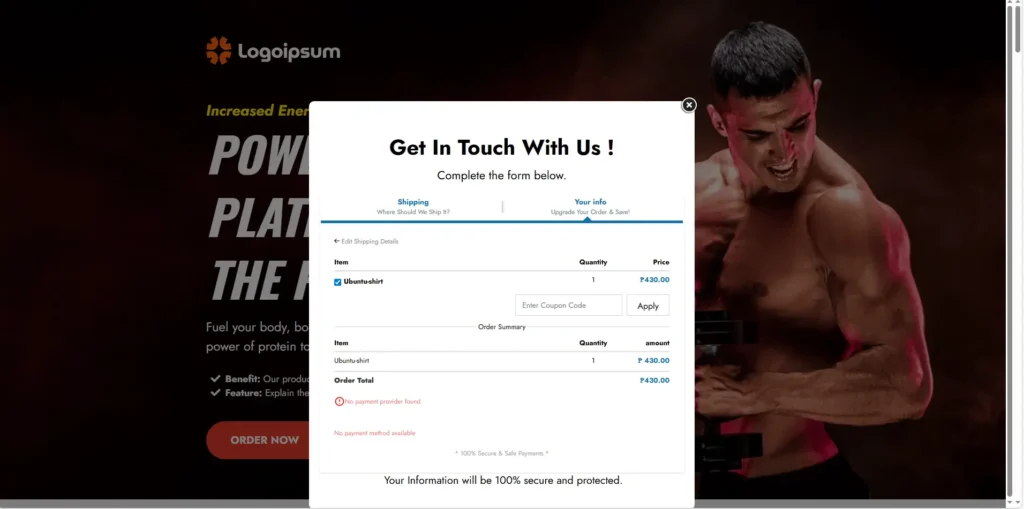
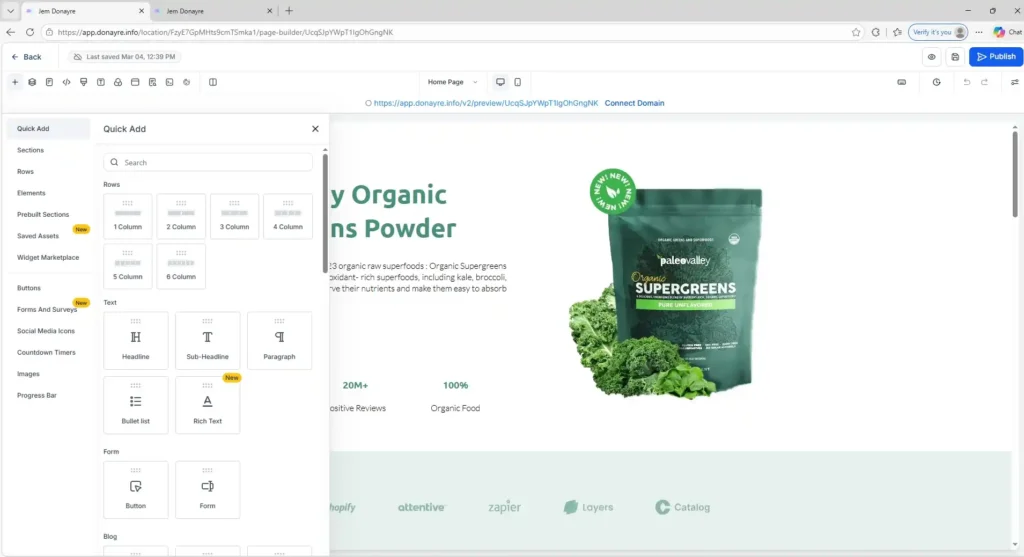
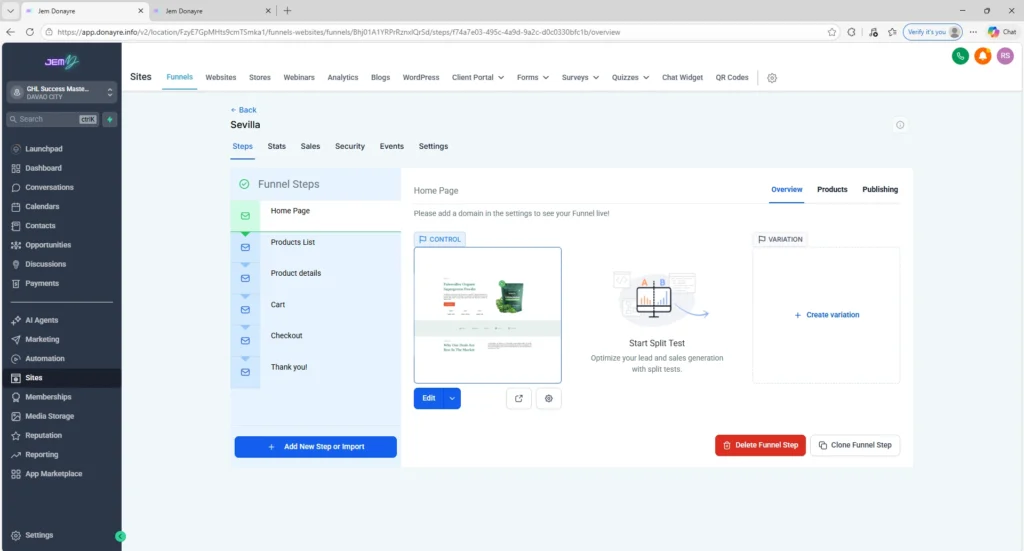
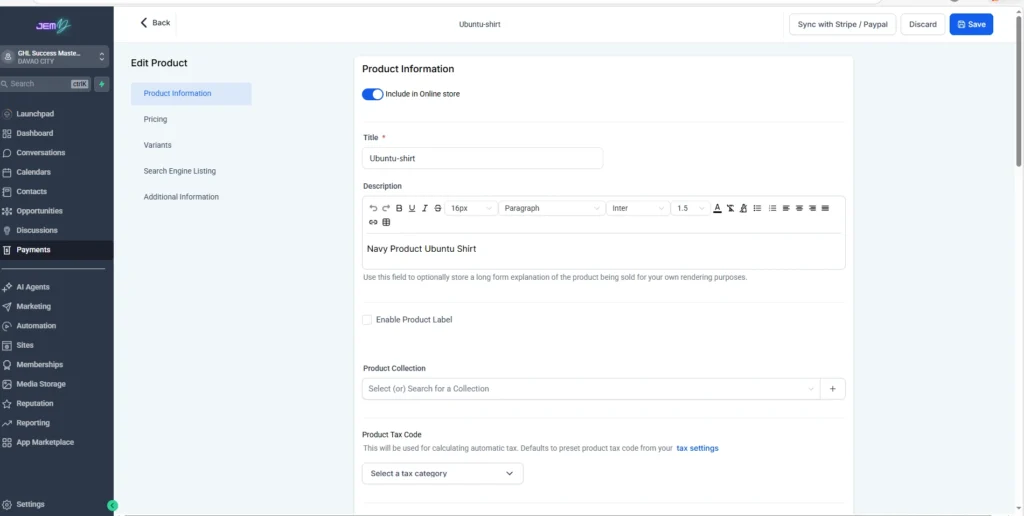
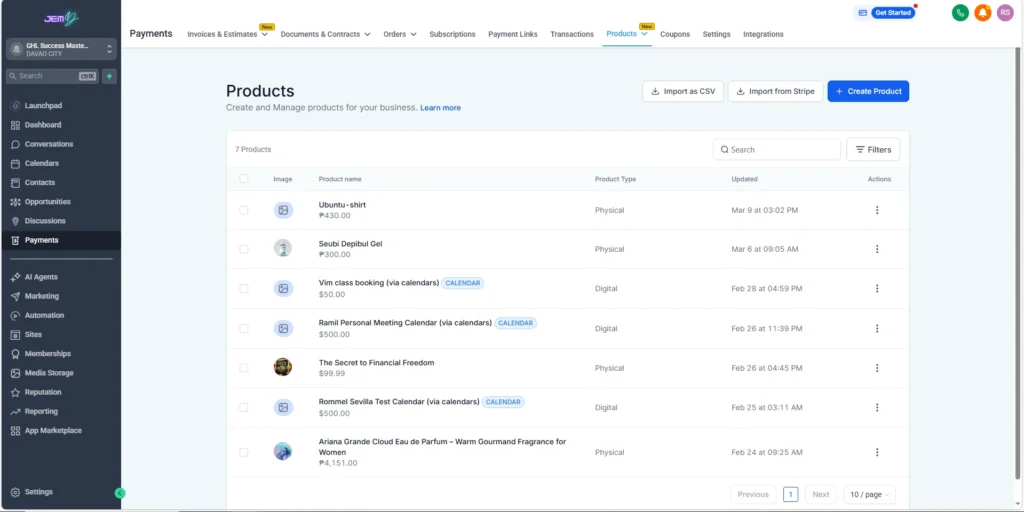
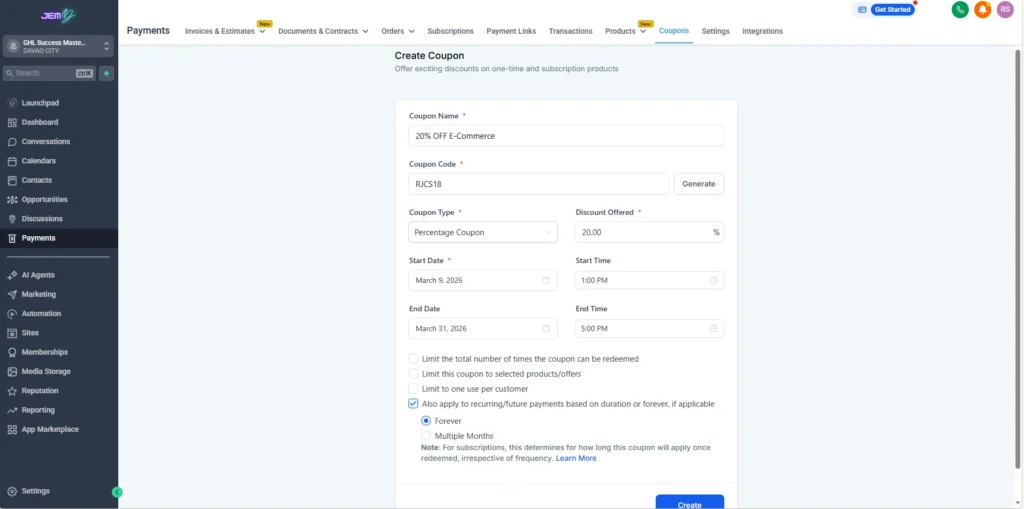
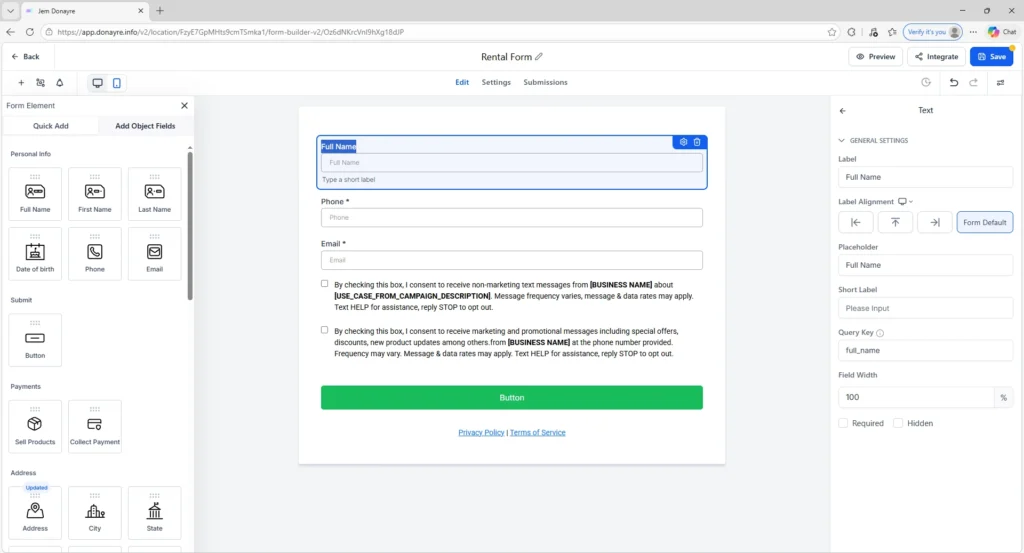
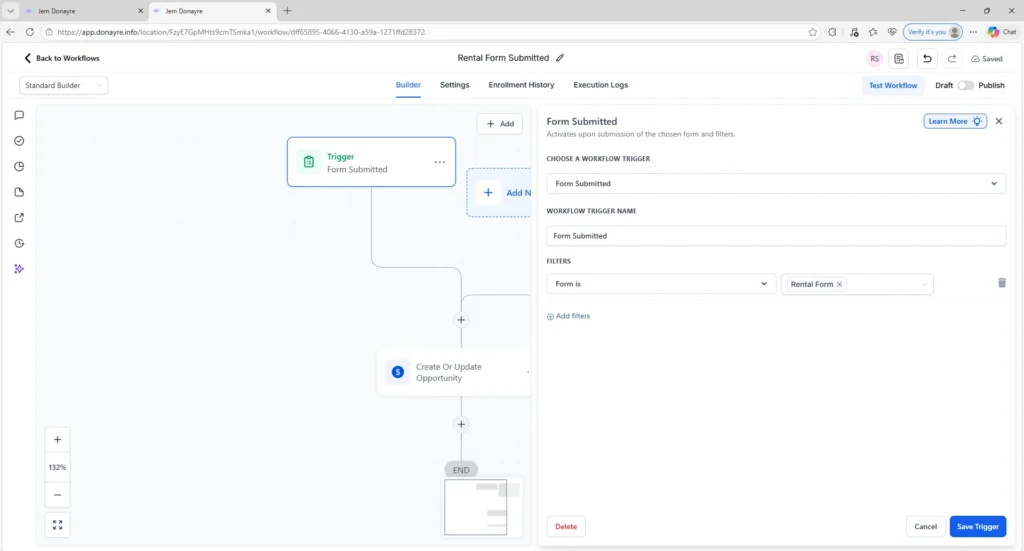
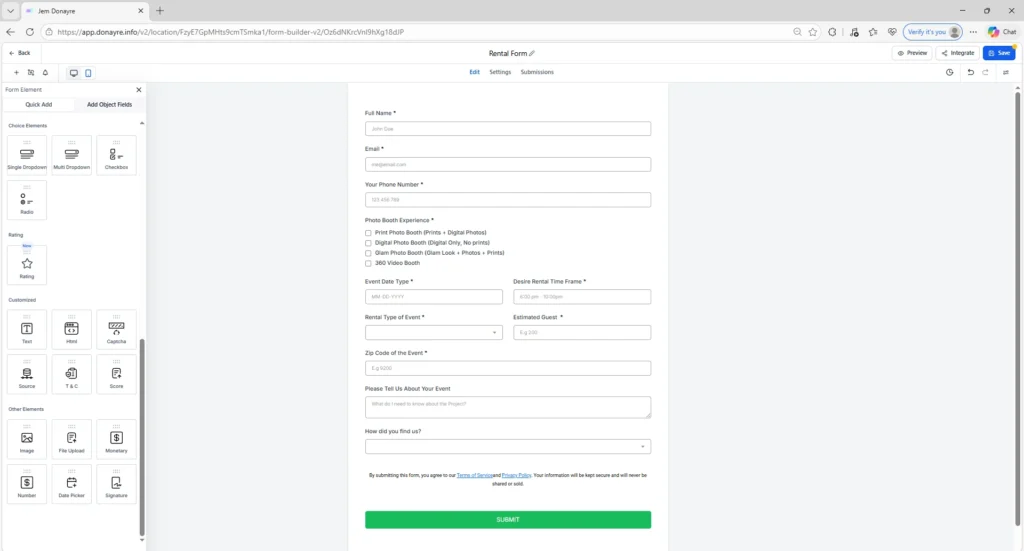
This section highlights examples of my work inside GoHighLevel, where I help manage and update websites and funnels. The screenshots demonstrate tasks such as editing funnels, updating website pages, configuring forms, managing products, and setting up lead capture elements.

Some of the features shown include funnel steps, product information setup, coupon configuration, rental forms, and two-step order forms. These tools help businesses capture leads, process orders, and improve the overall customer journey.

These examples reflect the workflows and systems I learned and practiced while working with GoHighLevel.

Two-Step Order Form

Edit Site / Page Editor

Funnel Steps

Product Information Setup

Products

Products

Coupons

Coupons

Edit Form

Automation Rental Form

Rental Form Sample

Technical Projects & Software QA Experience

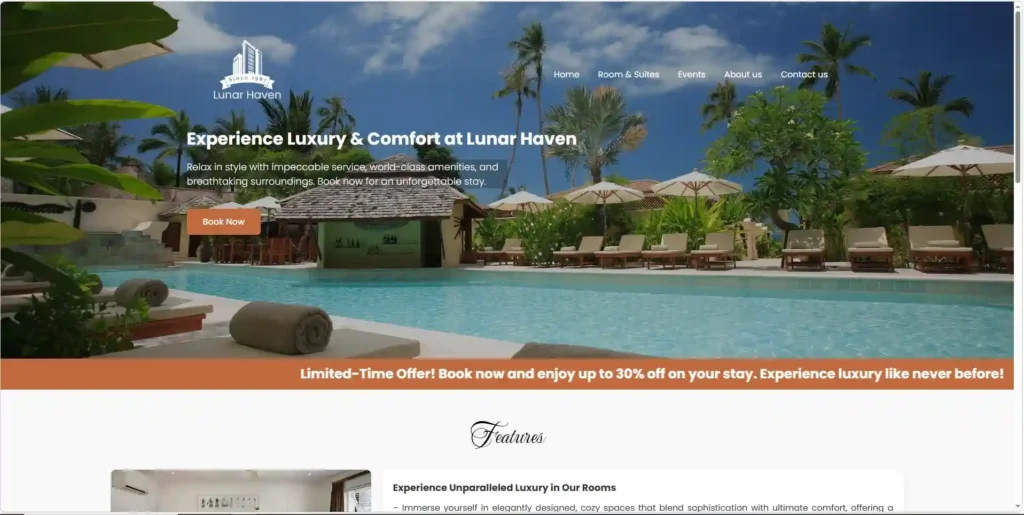
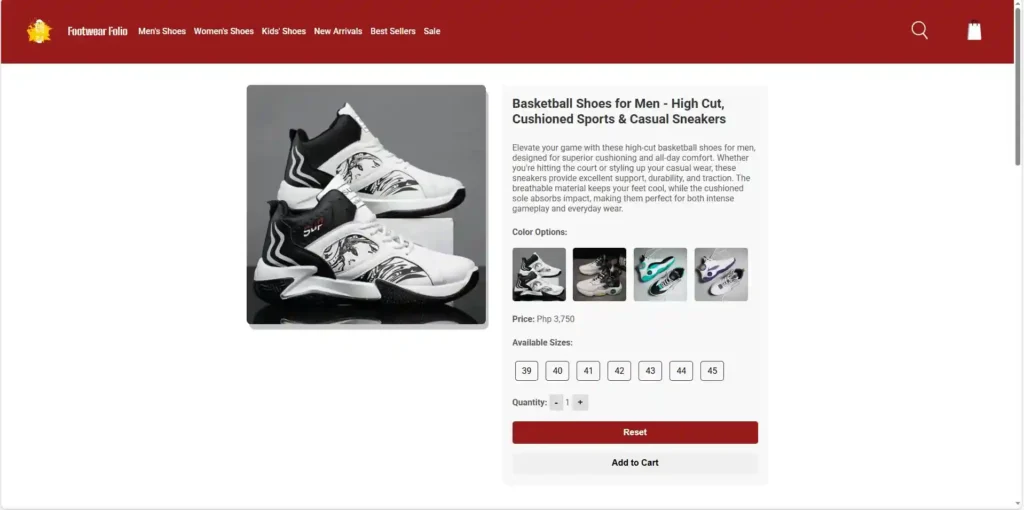
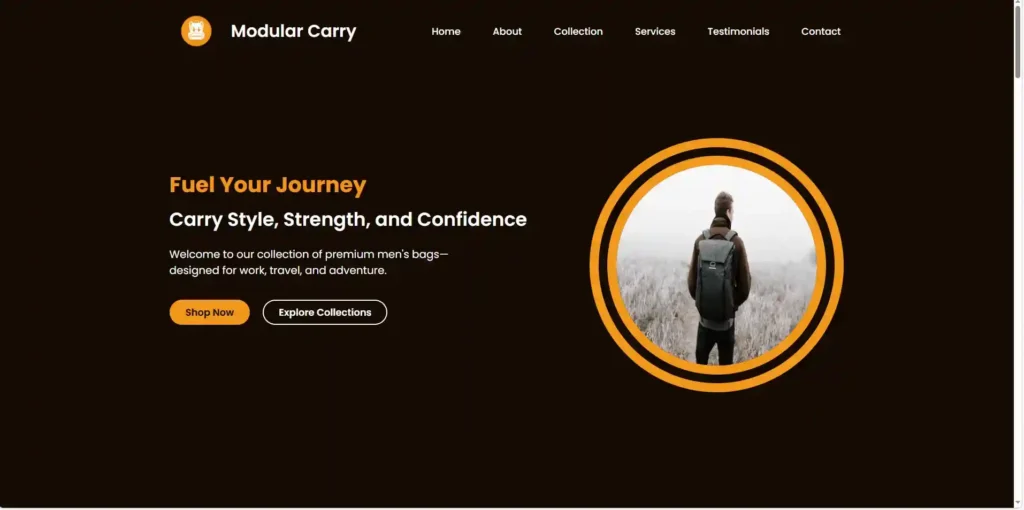
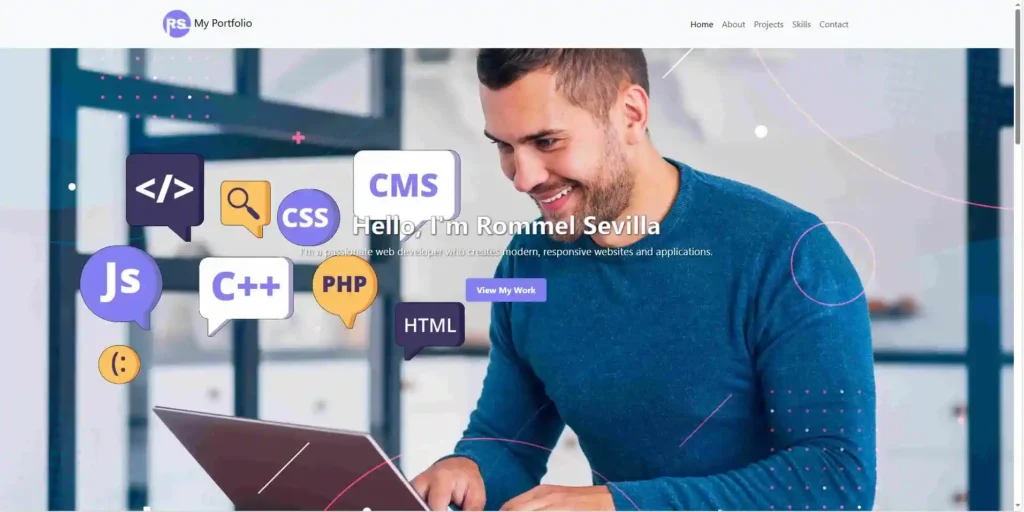
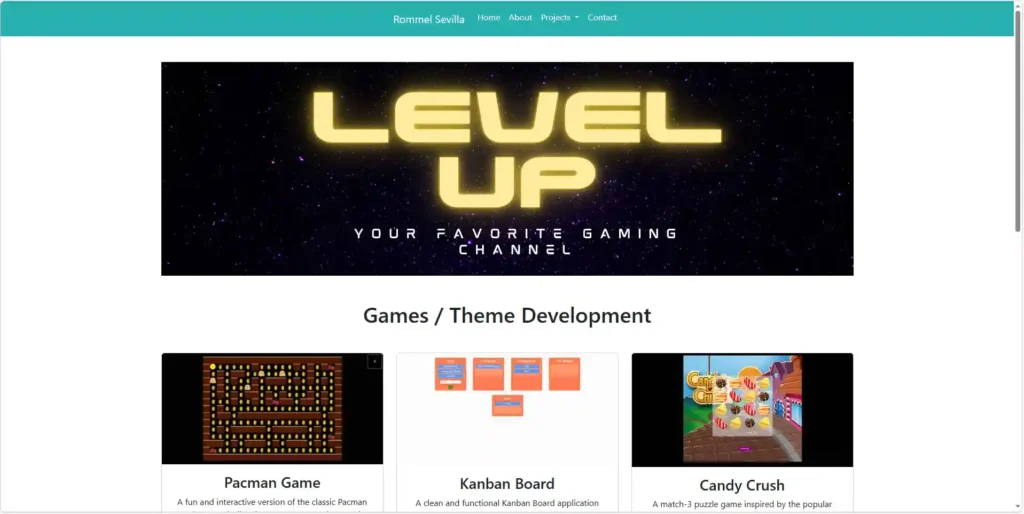
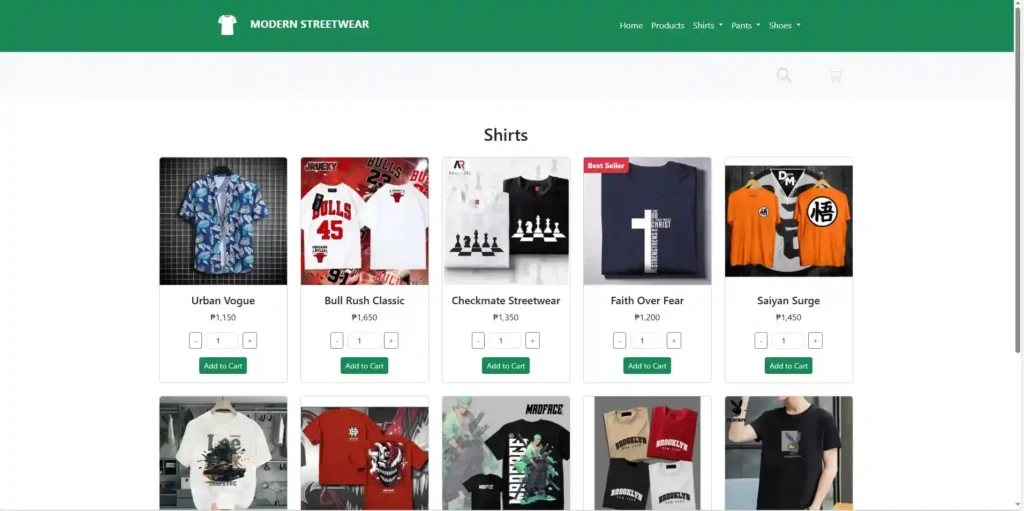
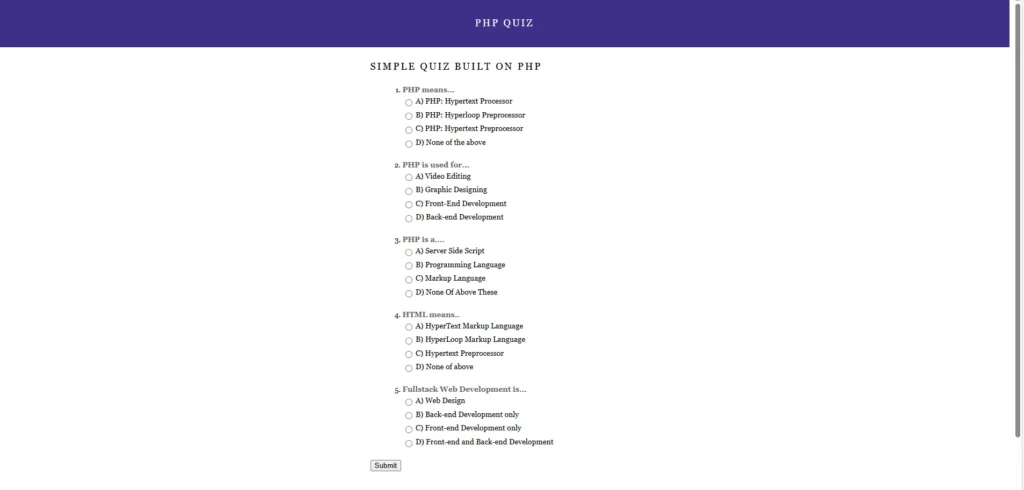
This section highlights my technical background in web development and software quality assurance. I built several projects using HTML, CSS, JavaScript, and PHP, demonstrating my ability to create responsive layouts, implement interactive features, and manage website functionality. These projects are available in my GitHub repository and reflect my experience working with front-end and basic back-end development.

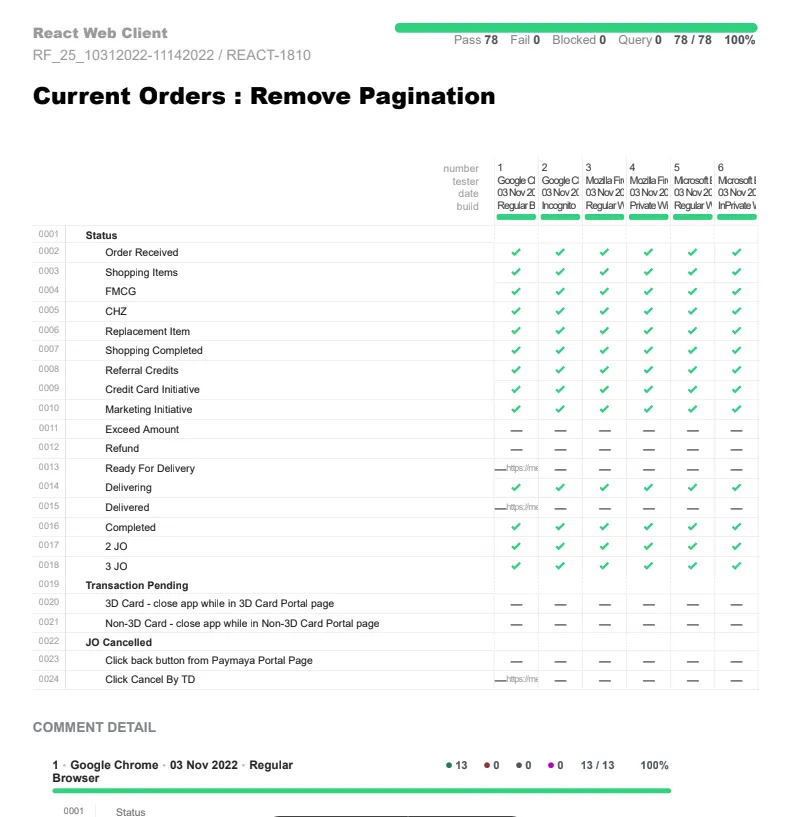
In addition to development, I also have experience in Software QA Manual Testing from my time at Metromart Technologies Inc., where I tested website functionality, validated user workflows, and documented bugs to improve product quality. Before starting my QA role, I joined a Manual and Automation QA Bootcamp, where I learned testing fundamentals along with web technologies such as HTML, CSS, JavaScript, and PHP. I also gained exposure to automation testing concepts during my training with Village88, which helped me understand how automated testing can support software quality and efficiency.

Front-End Projects

Lunar Haven Hotel

Foot wear Website

Footwear Folio

Modular Carry

Modular Carry

Bootsrap Portfolio Design

Game Development

Game Development

E Commerce Landing Page

Modern Wear E-Commerce

Back-End & Software QA Projects

PHP Quiz

PHP Quiz

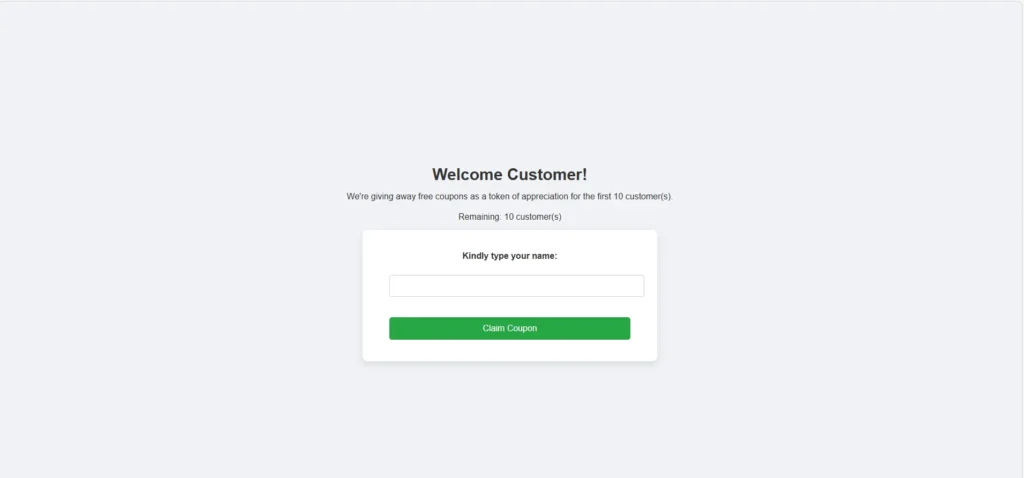
Coupons

Coupon Ticket

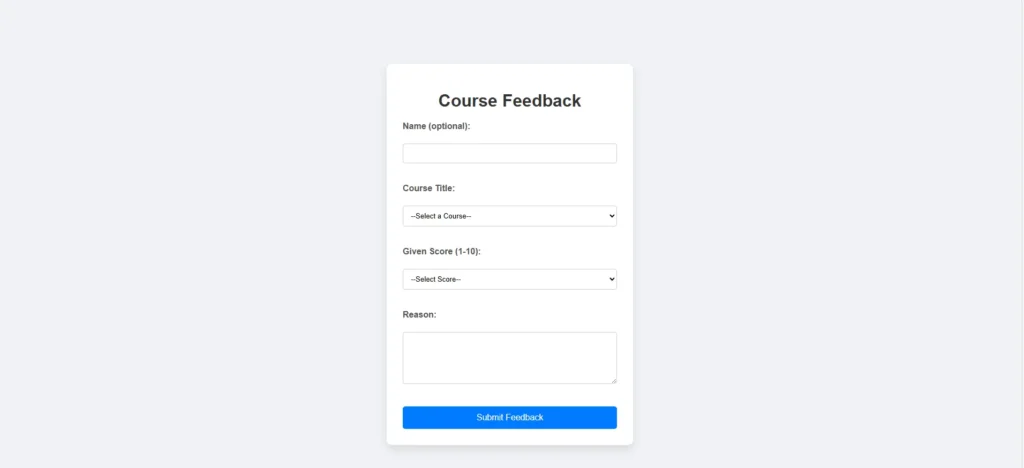
Course Feedback

Course Feedback

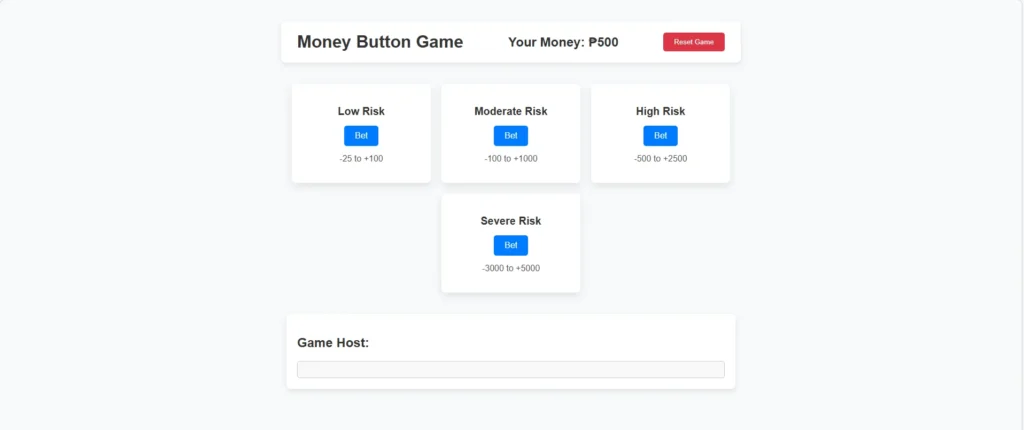
Money Button

Money Button Game

Software QA Projects

Software QA Projects

Email & SMS Campaigns

Creating and managing email and SMS campaigns in GoHighLevel to communicate with leads and customers. This includes setting up automated messages, drip campaigns, and follow-ups to improve engagement and keep customers informed about updates, promotions, and reminders.

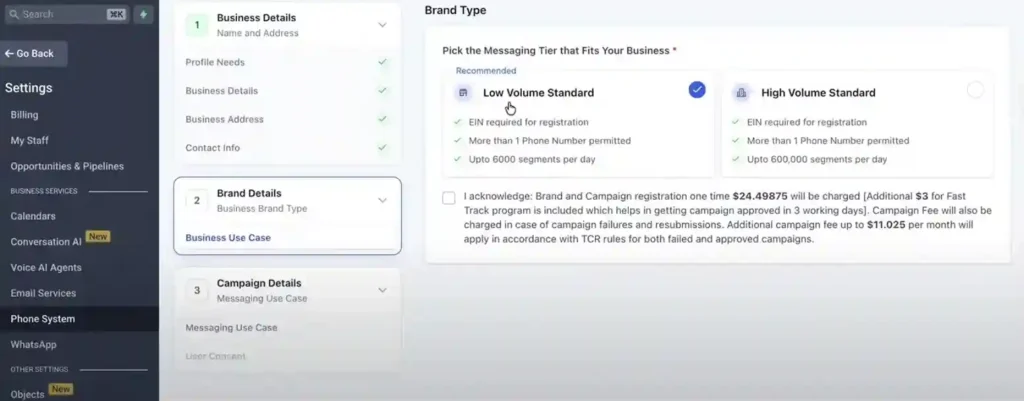
Application To Person

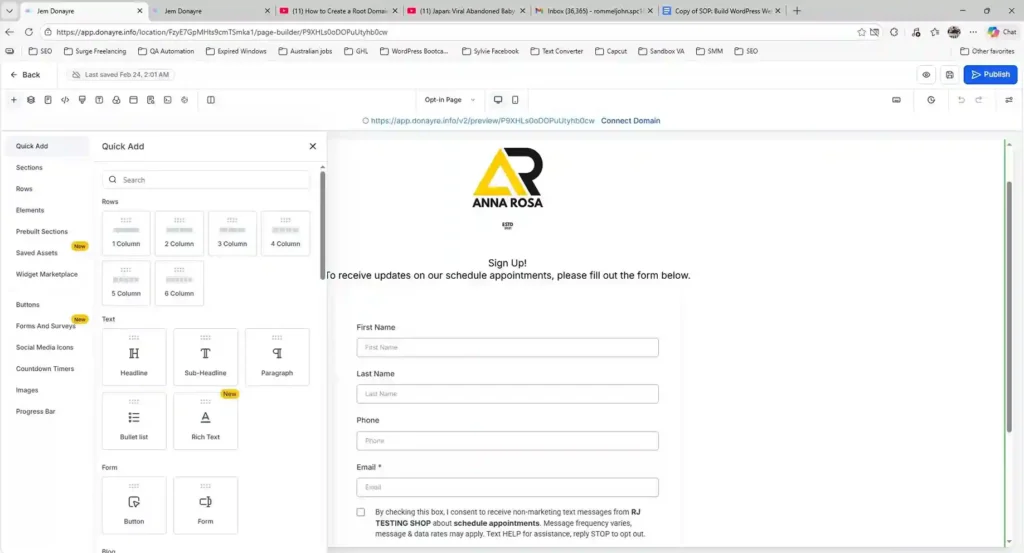
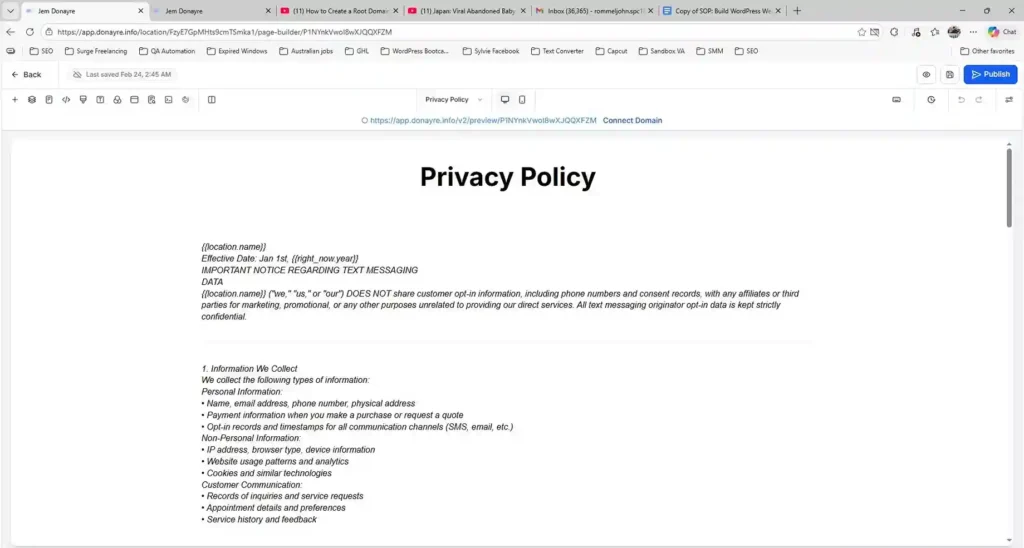
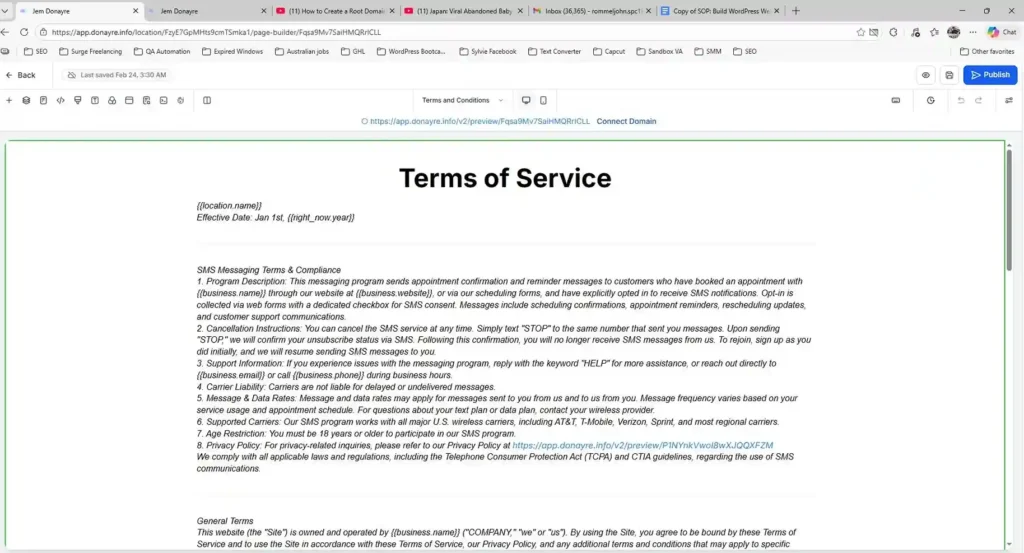
I assisted in setting up the Application-to-Person (A2P) registration required for SMS messaging compliance. This includes preparing the campaign registration form and creating the required policy pages.

A2P Set Up

A2P Set Up

Camapaign Form

Campaign Form

Privacy Policy Page

Privacy Landing Page

Terms of Service Page

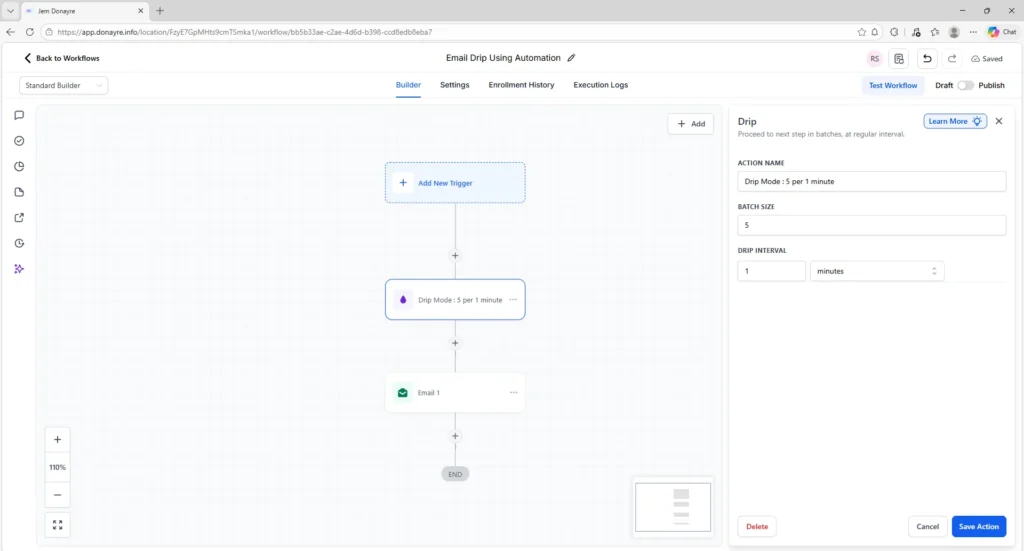
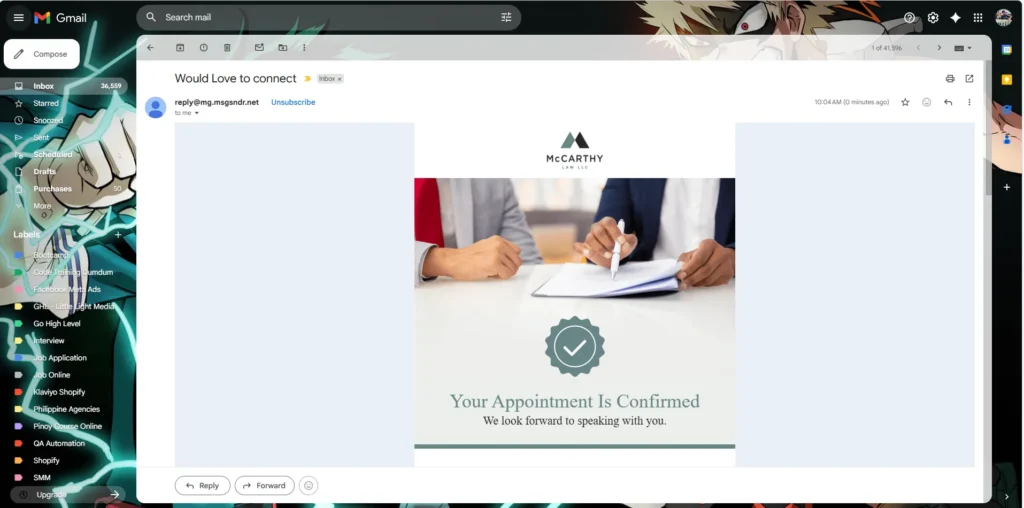
Email Drip

I created email drip campaigns and automation workflows in GoHighLevel to automatically send messages to leads and customers.

Email Drip Automation

Test Email Delivered

Test Email Drip Automation Delivered

Automation and workflows

I create automated workflows in GoHighLevel to streamline business processes, improve lead follow-ups, and ensure timely notifications. These automations include lead alerts, appointment reminders, review requests, and email/SMS nurture sequences.

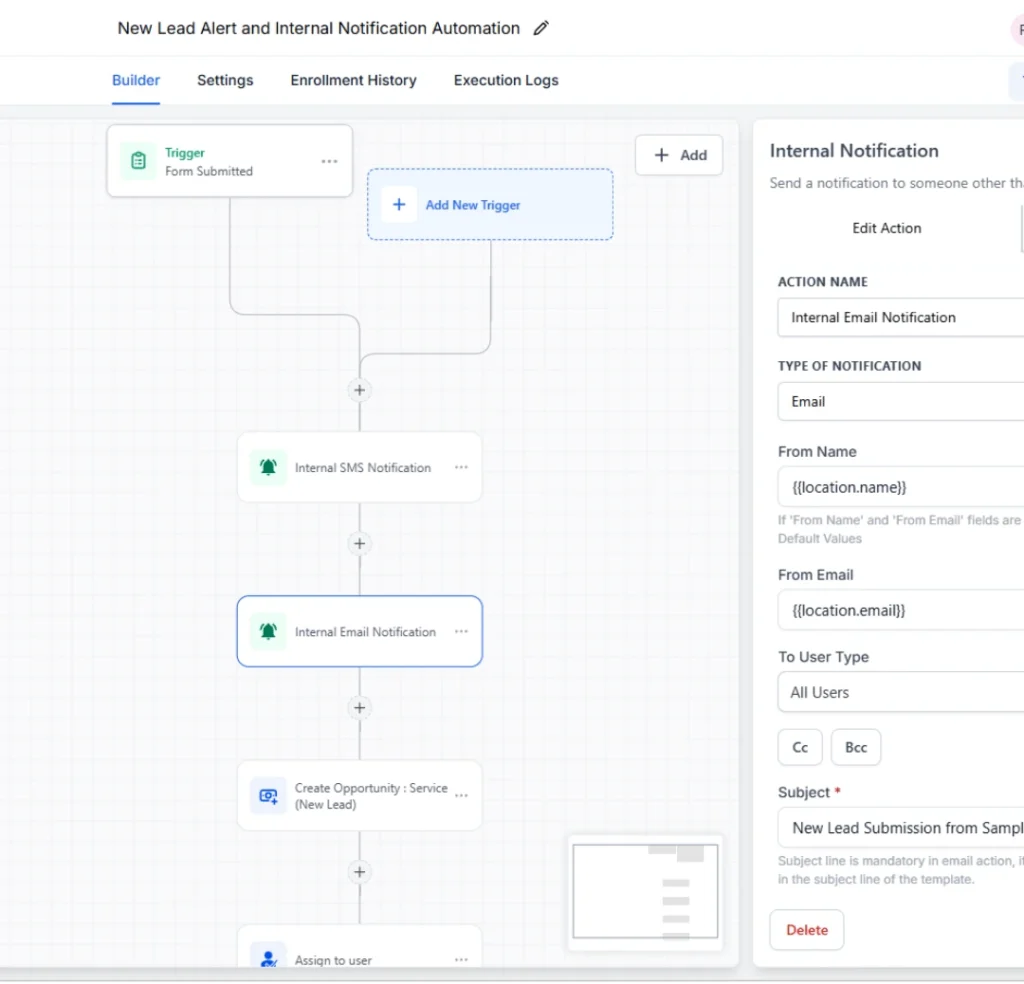
New Lead Alert and Internal Notifcation Automation

New Lead Alert and Internal Notifcation Automation

I created this automation to manage new leads. When a form is submitted, the system sends internal SMS and email notifications, creates a service opportunity, and assigns it to a user so the team can respond quickly

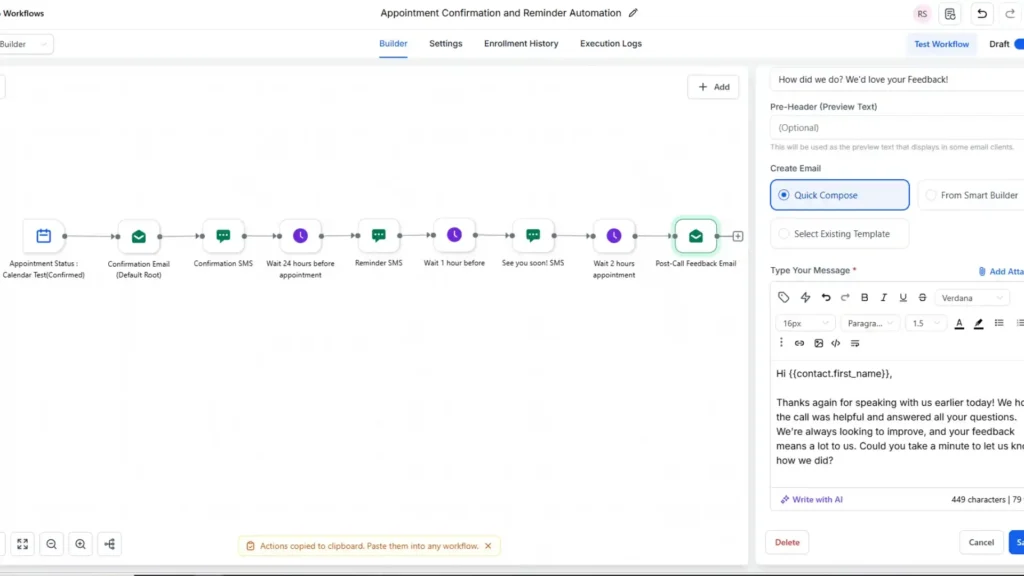
Appointment Confirmation and Reminder Automation

Appointment Confirmation and reminder automation

This diagram shows an appointment confirmation and reminder automation. When an appointment is confirmed, the system sends a confirmation email and SMS, then schedules reminder messages before the appointment. After the call, it automatically sends a feedback email to collect client feedback. This workflow helps maintain clear communication, send timely reminders, and ensure consistent follow-up with clients.

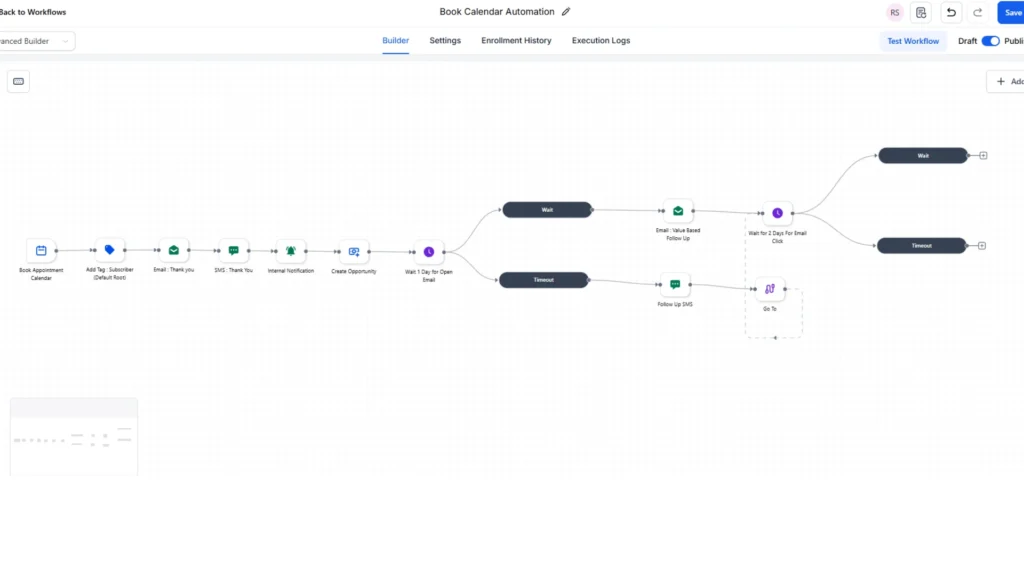
Book Calendar Automation

Lead Nurture Automation (Email + SMS Follow Up Sequence)

This workflow automates the follow-up process after a calendar booking. It starts by tagging the contact and sending thank-you messages through email and SMS. It also creates an opportunity and sends internal notifications to the team. Timed follow-ups are triggered based on email engagement, helping maintain personalized communication and effective lead nurturing.

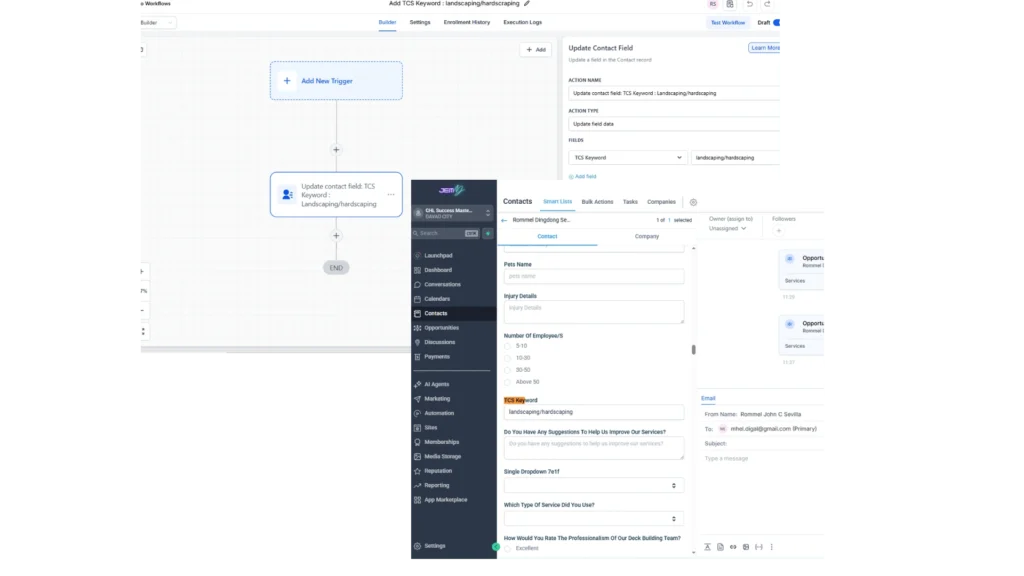
Add TCK Keyword : Landscaping hardscaping

This workflow automatically updates a contact’s profile by adding the keyword “landscaping / hardscaping” to the TCS field. This helps maintain consistent tagging for better contact segmentation and more personalized follow-ups. The automation uses a simple setup with a trigger and one update action to ensure the contact information is updated efficiently.

TCS Keyword

Internal SMS Notification When Someone Sends a Message Automation

This workflow sends internal SMS notifications whenever a customer replies through email, chat, or SMS. It ensures the team receives instant alerts with the contact’s details, allowing them to respond quickly and maintain smooth communication across different channels.

TCS Keyword

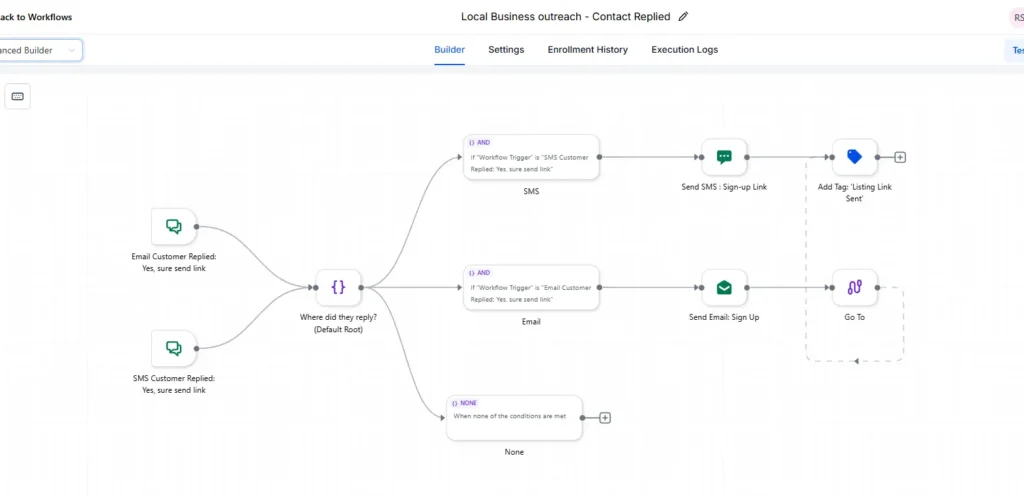
Local Business Outreach - Contact Replied

This workflow automates local business outreach when a customer replies “Yes, sure send link” through email or SMS. Based on the channel used, the system sends either an SMS or an email with the sign-up link and adds the tag “Listing Link Sent” to the contact. This helps ensure quick and accurate follow-up using the customer’s preferred communication method.

Local Business To Outreach

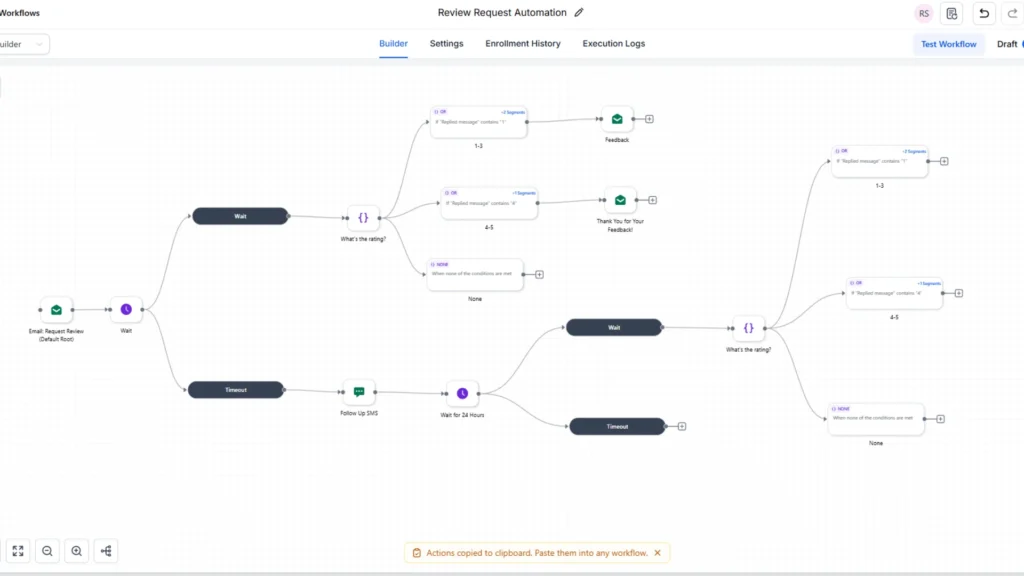
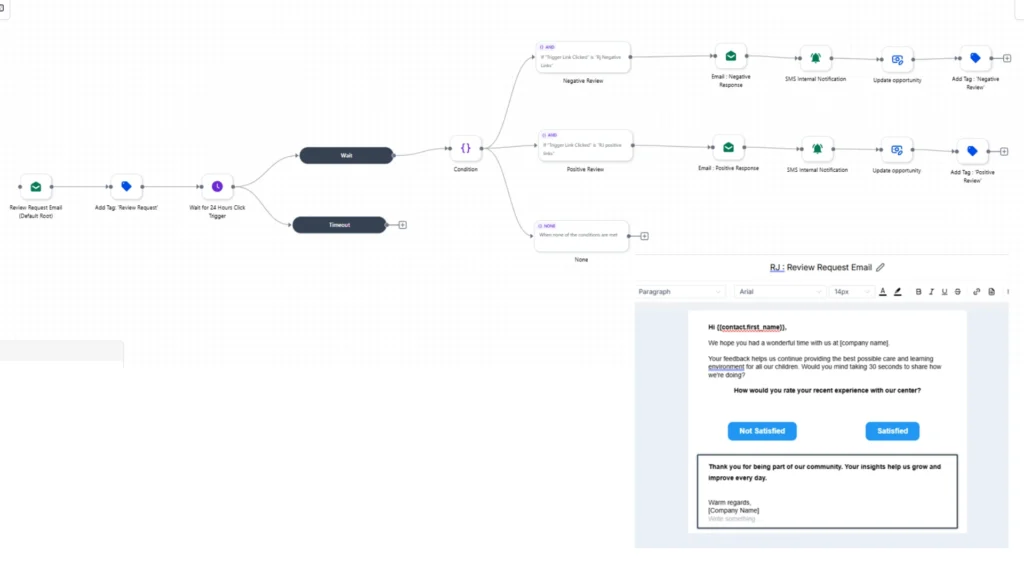
Review Request

Sample #1

Review Request

This workflow automates review requests. After the initial email is sent, the system waits for a response and then continues based on the customer’s rating. Low ratings trigger a feedback email, while high ratings send a thank-you message. If no response is received, the system sends an SMS reminder before the workflow ends. This setup helps collect feedback in a structured way and maintain consistent customer engagement.

Sample #2

This workflow automates review requests using email and SMS. It sends a review request email and waits for a response, then categorizes feedback based on whether the customer is satisfied or not. Positive responses trigger a thank-you email, while negative responses prompt a feedback follow-up. If no reply is received, the system sends an SMS reminder. This process helps collect feedback in a structured way and keeps communication with customers timely and consistent.


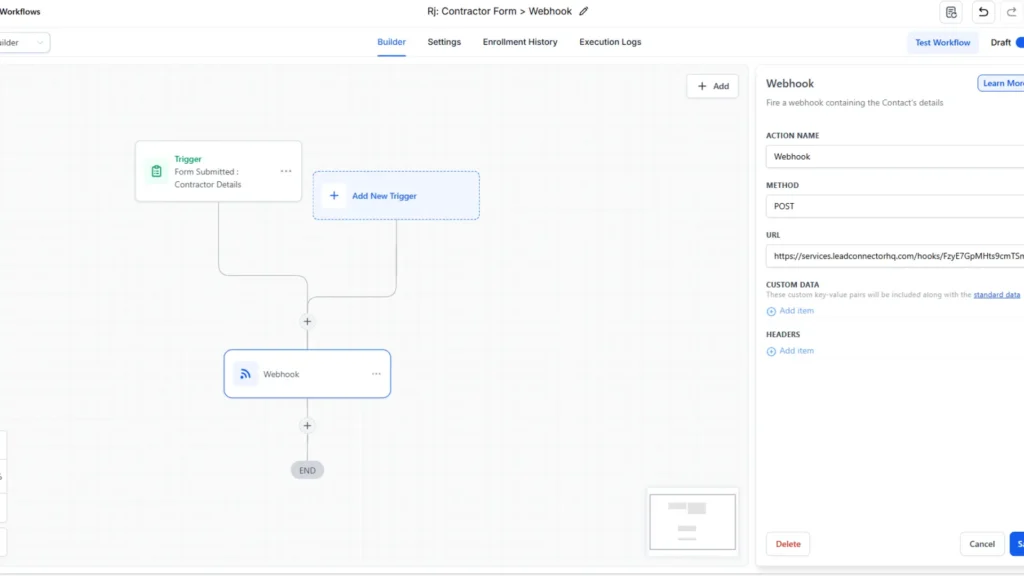
Web Hook

Form To Webhook
Fill Up The form To Database

This workflow is triggered when a contractor form is submitted. The system automatically sends the submitted details to an external service through a webhook using the POST method. This setup ensures that contractor information is captured in real time and integrated seamlessly into other platforms or databases.

 
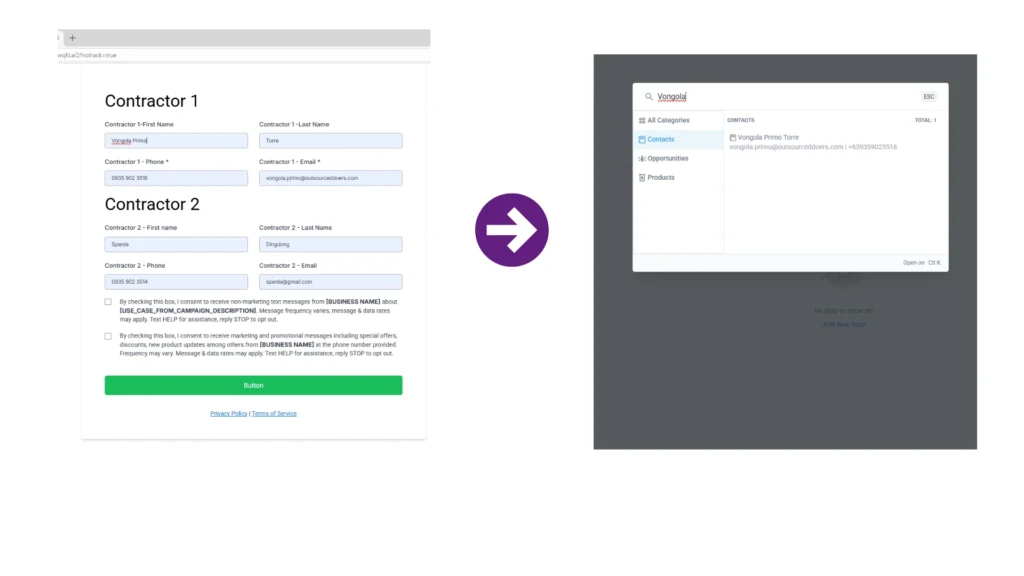
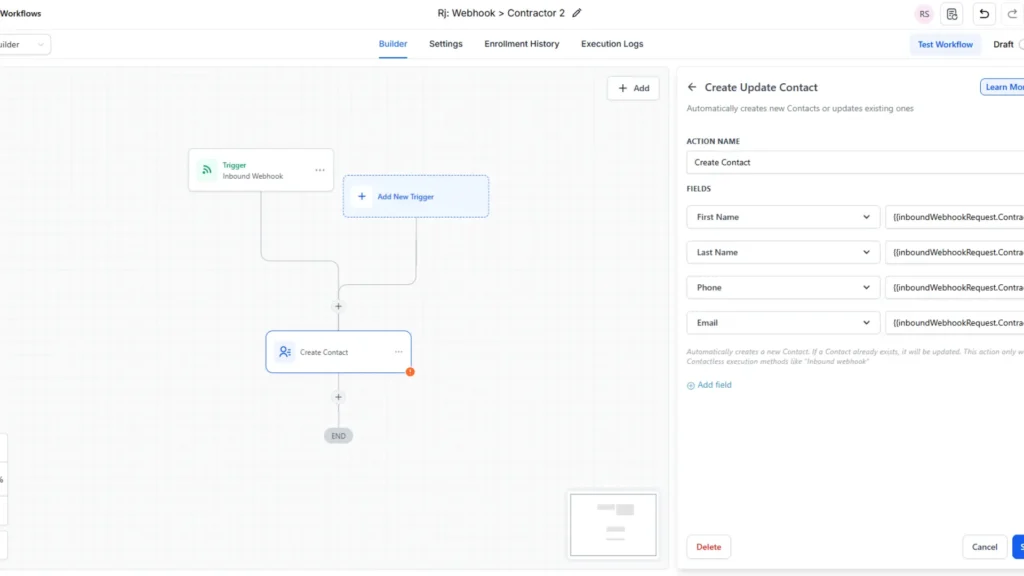
Webhook To Contractor
Contact 2 Appeared

This workflow is triggered by an inbound webhook that contains contractor details. Once activated, the system automatically creates a new contact in the CRM using the provided first name, last name, phone number, and email. This setup helps streamline data entry by sending external form submissions directly into the system.

Zapier Appointment Automation Workflow

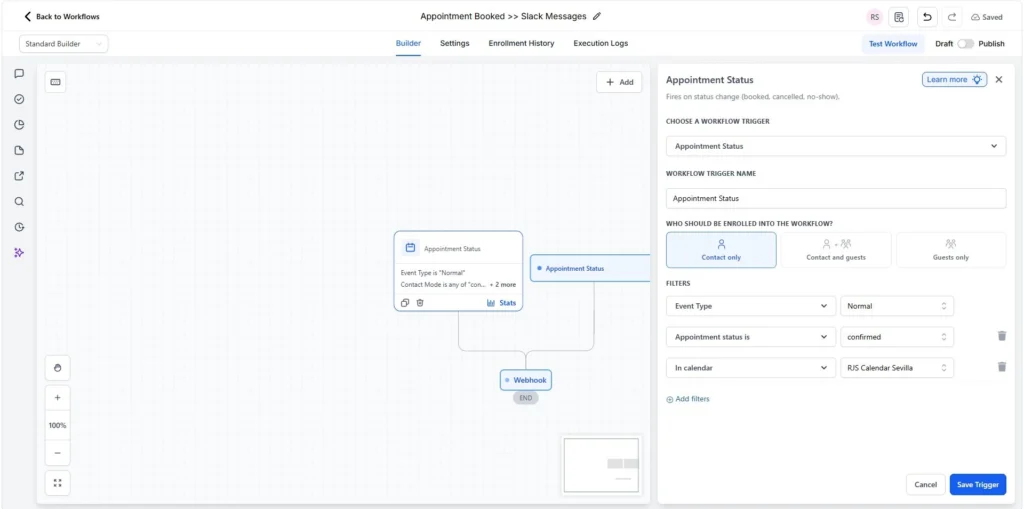
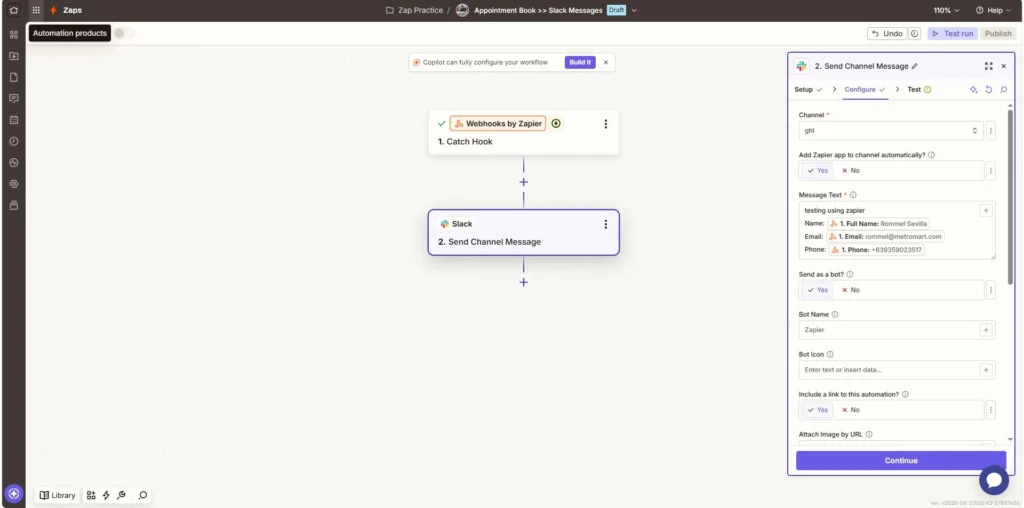
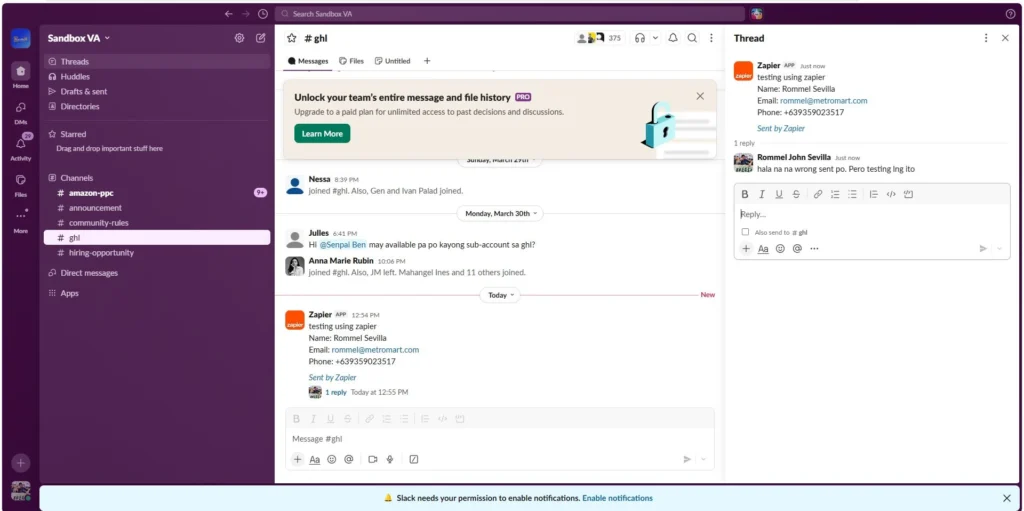
I created a workflow that automatically sends appointment details to Slack when a booking is confirmed. The workflow starts with an Appointment Status trigger (fires when an appointment is booked in my calendar). Zapier then catches the webhook data and sends the client’s information (name, email, phone) into a Slack channel. This ensures the team gets instant updates without manual work.

Appointment Webhook To Zapier
Zapier To Slack

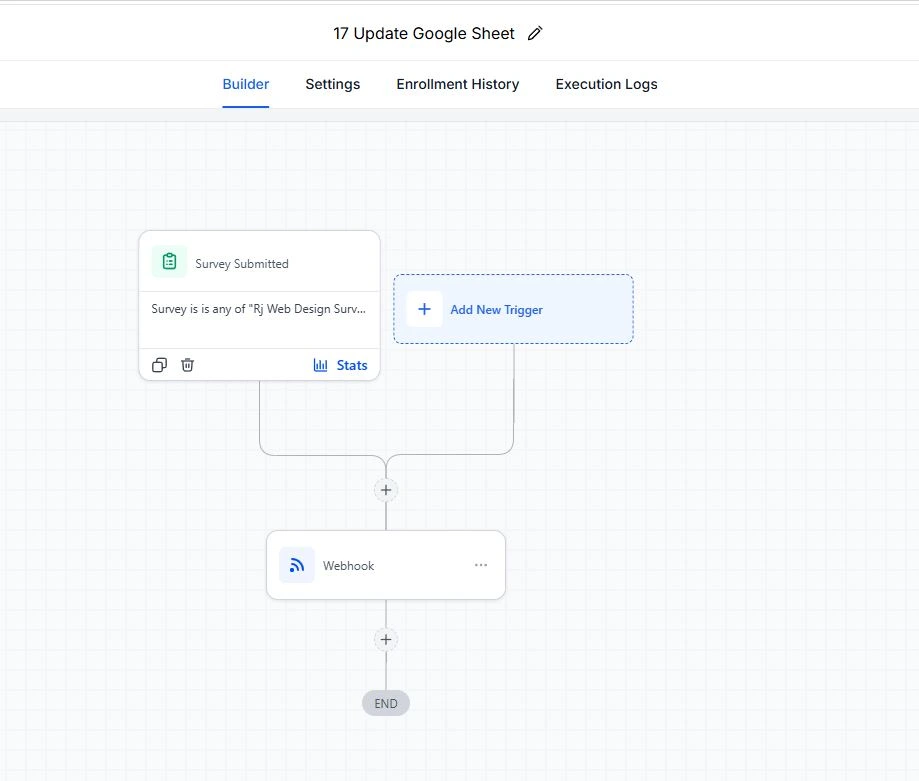
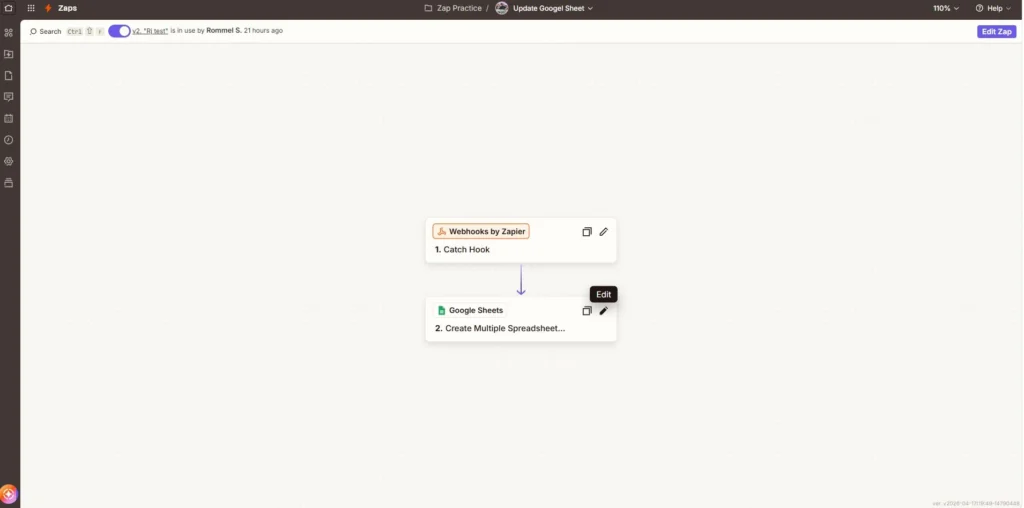
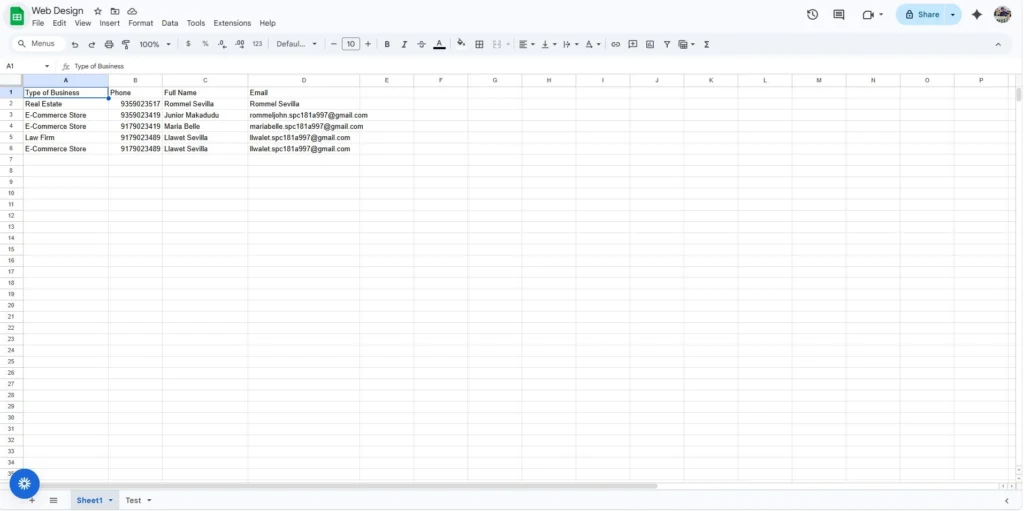
Zapier Workflow: GoHighLevel Form to Excel Sync

I built a workflow that starts when someone submits a survey (e.g., “Rj Web Design Survey”). The workflow trigger is Survey Submitted, which then passes the collected data through a Webhook. That webhook sends the information directly into a Google Sheet, so all responses are automatically recorded without manual entry.

GHL Form To Webhook
Webhook Zapier From Form
Update Google Sheet

Clients & Training

Contact

Name

Contact

Name

© 2026 Rommel Sevilla – GoHighLevel Portfolio. All rights reserved.

Scroll to Top